
Ditching the Wires: Modernizing Your City Council Chamber with Invisible Tech
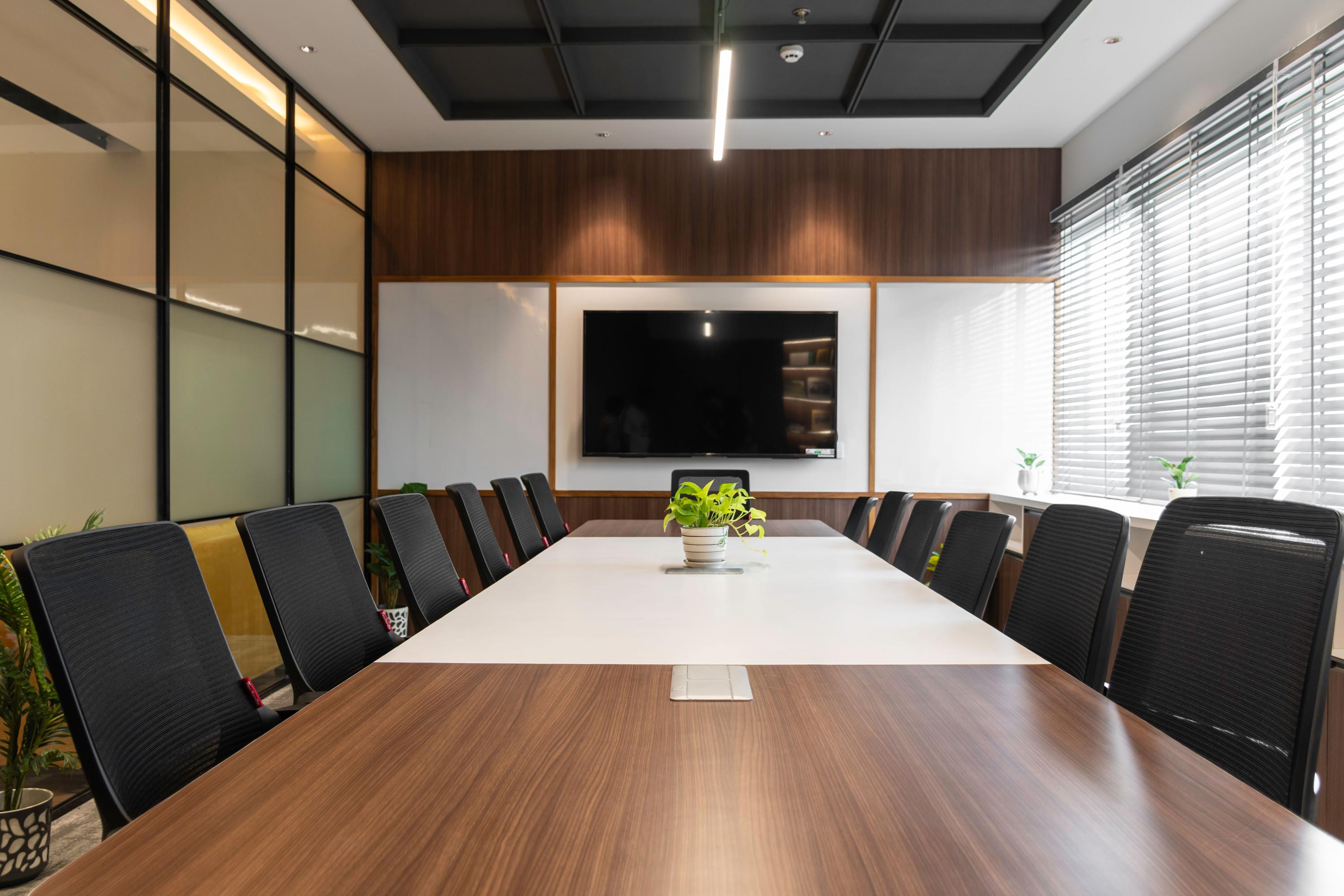
Old council chamber setups clog rooms with cables and bulky gear. You’re aiming for a clean conference room design that doesn’t scream “tech chaos.” A council chamber AV upgrade using recessed microphones and auto-framing cameras clears the clutter while modernizing municipal buildings. Read on to see how simplified AV systems can keep your chamber sleek and future-ready.
Why Your Council Chamber Deserves Better
Let’s be honest: most government meeting spaces look like they’re stuck in the 1990s. Tangled cables snake across tables, bulky microphone stands block sightlines, and the camera setup requires a dedicated operator who’s probably been doing this job since the Clinton administration.
Your residents deserve better. Your council members deserve better. And frankly, your facilities team deserves a break from troubleshooting ancient equipment that breaks down every other week.
The good news? Modernizing municipal buildings doesn’t mean ripping everything out and starting from scratch. Today’s AV technology focuses on simplicity, clean lines, and systems that actually work without a PhD in audiovisual engineering.
The Hidden Cost of Messy AV Setups
Before we talk solutions, let’s talk about what that cable-filled chamber is really costing you.
First, there’s the obvious stuff. Tangled wires create trip hazards. Bulky equipment takes up valuable table space. And every time someone needs to move a microphone or adjust a camera, your IT team gets pulled away from actual priority work.
But the hidden costs run deeper. Outdated setups make your council chambers look unprofessional during live streams. Residents watching from home see grainy video, hear muffled audio, and wonder why their tax dollars can’t buy better equipment. That perception matters, especially when you’re trying to build public trust.
Plus, legacy systems break down more often. You’re constantly patching problems instead of preventing them. Your maintenance budget bleeds money on repairs for equipment that should have been replaced years ago.
A council chamber AV upgrade fixes all of this. But only if you do it right.
What Makes a Clean Conference Room Design Actually Work
Clean doesn’t just mean pretty. It means functional, reliable, and simple enough that anyone can walk into the room and start a meeting without calling IT.
Here’s what separates a truly clean setup from one that just hides the mess:
Everything has a place. Cables run through the walls and under the floor. Microphones sit flush with the table surface. Cameras mount discreetly on walls or ceilings. When the room isn’t in use, it looks like a professional meeting space, not a recording studio.
The tech disappears. Users shouldn’t need to think about the equipment. They press one button to start a meeting. The microphones turn on automatically. The cameras find the speakers without manual adjustment. The whole system just works.
Maintenance stays simple. Your facilities team can handle basic troubleshooting without vendor support. Software updates happen automatically. And when something does need attention, the modular design means you can swap out one component without rebuilding the entire system.
Recessed Microphones: Audio That Doesn’t Get in the Way
Traditional microphone stands dominate council chamber tables. They block faces during video calls. They create visual barriers between council members and the public. And they’re a pain to manage, with cables running everywhere and constant feedback issues.
Recessed microphones solve this elegantly. These units mount flush with the table surface, popping up only when needed. Some models stay completely hidden until activated. Others sit just millimeters above the table, barely noticeable but always ready.
The audio quality often beats traditional setups. Because recessed mics use boundary layer technology, they capture clear speech without the proximity issues that plague gooseneck microphones. Council members don’t need to lean in or speak directly at the mic. They just talk naturally, and the system picks up every word.
Installation is cleaner too. Cables run through channels built into the table or through conduits in the floor. No more wire management nightmares. No more tripping hazards. Just a clean table surface with professional audio capture.
When you’re modernizing municipal buildings, recessed microphones send a message. They say you care about professionalism. They show you’ve invested in quality. And they prove that government spaces can look just as polished as private sector conference rooms.
Auto-Framing Cameras: Video That Follows the Action
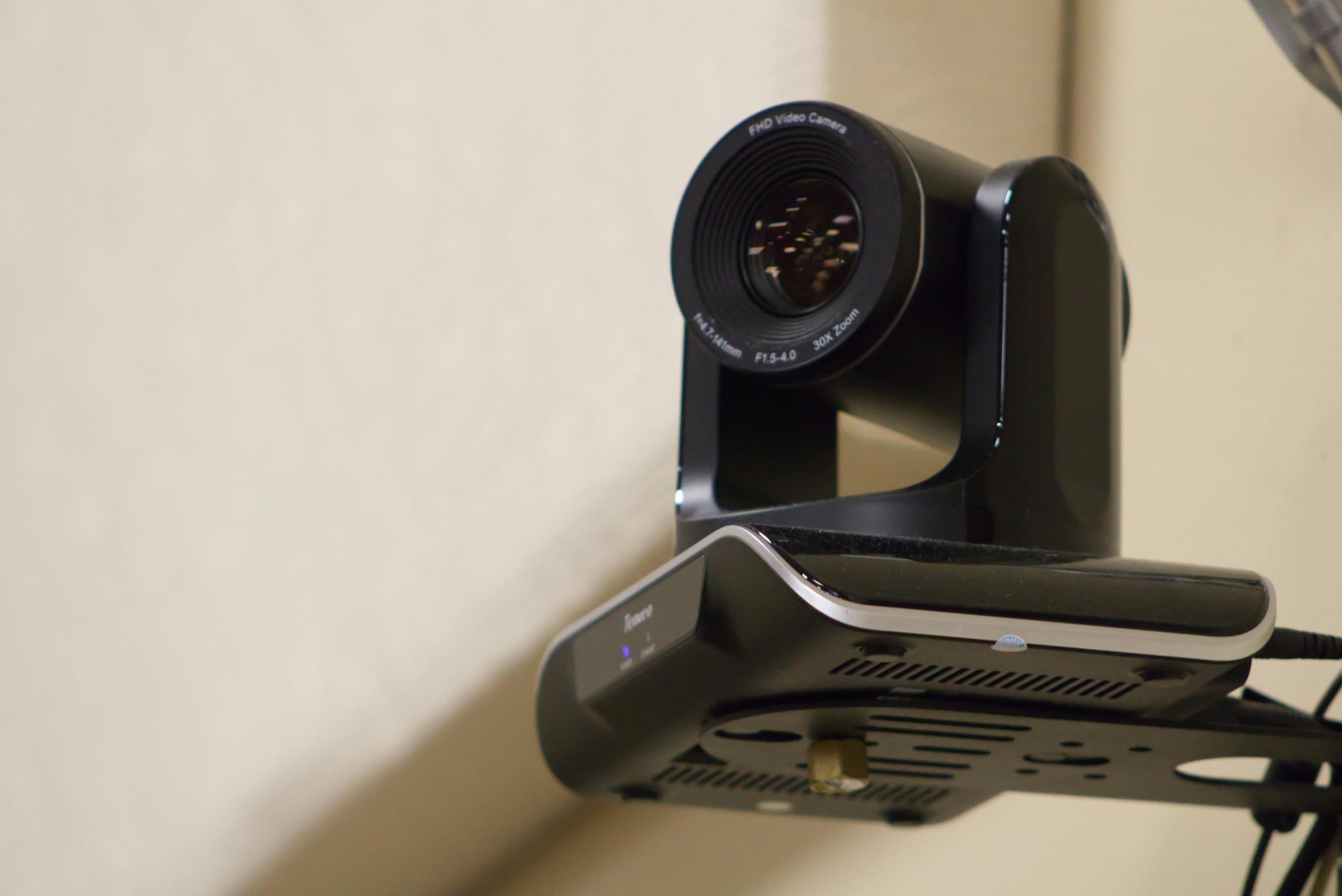
Here’s a scenario you’ve probably lived through: during a council meeting, the camera operator loses track of who’s speaking. The livestream shows an empty chair while audio of the mayor plays in the background. Viewers get confused. The meeting looks disorganized. And your communications team spends the next week fielding complaints.
Auto-framing cameras eliminate this problem entirely. These smart cameras use AI to detect who’s speaking and automatically adjust the frame to keep them centered. No operator needed. No awkward pauses while someone manually pans the camera. Just smooth, professional video that follows the conversation.
The technology works through a combination of audio tracking and facial recognition. When someone starts speaking, the camera identifies their position and smoothly transitions to frame them properly. If multiple people speak, the camera can zoom out to capture the whole group or switch between speakers as the conversation flows.
For a council chamber AV upgrade, this technology is a game changer. You can cut the camera operator position entirely, saving salary costs year after year. The video quality stays consistent regardless of who’s running the meeting. And residents watching from home get a viewing experience that rivals professional broadcasts.
Modern auto-framing cameras also integrate with your existing AV infrastructure. They work with popular streaming platforms. They connect to your recording systems. And they play nicely with other smart room technology like automated lighting and sound reinforcement.
The best part? Installation doesn’t require major construction. Most auto-framing cameras mount on existing walls or ceilings. They connect through standard network cables. And they configure through simple web interfaces that your IT team already knows how to use.
Building a Simplified AV System from the Ground Up
Let’s walk through what a complete council chamber AV upgrade looks like when you prioritize clean conference room design.
Start with the table. Install recessed microphones at each speaking position. Run cables through built-in channels or floor conduits. Add a central control panel that’s equally discreet, maybe a small touch screen that sits flush with the table when not in use.
Mount the cameras strategically. Place auto-framing cameras where they can capture all speaking positions without obstructing sightlines. Ceiling mounts often work best for council chambers with tiered seating. Wall mounts suit rooms with traditional layouts.
Hide the processing equipment. All the brains of your system (the DSP, video switcher, streaming encoder, and network equipment) belong in a rack somewhere out of sight. A dedicated AV closet works great. Even a locked cabinet in the back of the room beats having equipment visible on counters or shelves.
Integrate the displays. Whether you’re using projectors or flat panels for presentations and video conferencing, mount them cleanly and run all cables through the walls. Consider motorized screens that retract when not in use, keeping the room looking sharp between meetings.
Add one-touch control. The entire system should start with a single button press. Council members shouldn’t need training to begin a meeting. A simple touch panel or even a wireless button can power everything on, configure the right settings, and start recording or streaming automatically.
This approach to simplified AV systems means your chamber works reliably every single time. No more tech failures during important votes. No more scrambling to fix problems while residents wait. Just professional meetings that run smoothly from start to finish.
The Real Benefits of Going Minimal
When you invest in modernizing municipal buildings with clean AV design, the benefits extend far beyond aesthetics.
Public perception improves. Residents see a professional, well-run government that invests wisely in infrastructure. Your livestreams look polished. Your recorded meetings are easy to watch. And the whole operation feels more accessible and transparent.
Meetings run smoother. Without technical hiccups eating up time, councils can focus on the actual work. Discussions flow naturally. Votes happen on schedule. And everyone leaves on time instead of running late because the microphones stopped working.
Costs drop over time. Yes, the initial investment in quality equipment costs more than patching your existing setup one more time. But you’ll save money within a few years through reduced maintenance, eliminated operator positions, and equipment that actually lasts.
Your team stays happy. IT staff stop dreading council meeting nights. Facilities managers don’t field constant complaints about broken equipment. And council members can focus on governance instead of fighting with technology.
Future upgrades get easier. When you build a system on modern standards and modular components, adding new features down the road is straightforward. Want to add AI transcription? It plugs right in. Need better integration with your document management system? The APIs are already there.
Common Mistakes to Avoid
Even with the best intentions, council chamber AV upgrades can go sideways. Here are the pitfalls to watch out for:
Don’t cheap out on microphones. Recessed microphones come in a wide range of quality levels. The budget options might seem tempting, but they often produce thin, tinny audio that makes your meetings sound like they’re happening in a tin can. Invest in quality mics from reputable manufacturers.
Avoid proprietary systems. Some vendors want to lock you into their ecosystem with equipment that only works with their other products. This limits your options for future upgrades and puts you at their mercy for support and pricing. Stick with systems built on open standards.
Don’t forget about acoustics. Even the best microphones can’t fix a room with terrible acoustics. Before you install new equipment, assess your chamber’s sound characteristics. You might need acoustic panels, ceiling treatments, or other modifications to get professional results.
Plan for growth. Your needs will change. Maybe you’ll add more council seats. Perhaps you’ll want to integrate voting systems or digital signage. Build extra capacity into your infrastructure now so you’re not ripping things out in three years.
Test everything thoroughly. Before you declare the project complete, run multiple test meetings. Try every microphone. Verify every camera angle. Stress test the streaming setup. Find problems during testing, not during your first live broadcast.
Making the Business Case to Stakeholders
You’re convinced that a council chamber AV upgrade makes sense. Now you need to convince the people who control the budget.
Frame it as an investment, not an expense. Calculate the total cost of ownership for your current system over the next five years. Include repair costs, operator salaries, and lost productivity from technical failures. Compare that to the cost of a new system with minimal ongoing expenses.
Highlight the public engagement angle. Better livestreams mean more residents can participate in government. Clearer audio and video make meetings more accessible to people with hearing or vision challenges. That’s not just good optics; it’s good governance.
Point to other municipalities that have made similar upgrades. Case studies and testimonials from peer organizations carry weight with decision makers. Show them that this isn’t experimental technology; it’s proven solutions that governments across the country are adopting.
Emphasize the timeline. Older equipment doesn’t get better with age. Every month you delay is another month of reliability risks and maintenance costs. Moving forward now prevents the emergency situation where something breaks catastrophically right before a crucial meeting.
Working with the Right Partners
A successful council chamber AV upgrade depends on choosing the right vendors and integrators.
Look for companies with specific government experience. Municipal projects come with unique requirements around accessibility, public records, and budget processes. A vendor who understands these nuances will save you headaches throughout the project.
Ask about training and support. Your team needs to feel comfortable operating and maintaining the new system. Good vendors include comprehensive training as part of the installation. Great vendors offer ongoing support and regular check-ins to make sure everything keeps working smoothly.
Check references carefully. Don’t just ask for a list of past clients; actually call them. Ask about problems that came up during installation. Find out how the vendor handled issues. Get the real story about whether the system still works well years after installation.
Understand the warranty and service agreements. What’s covered? For how long? What’s the response time if something breaks? Get these details in writing before you sign anything.
Real-World Examples That Inspire
Cities across the country are proving that clean conference room design works in government settings.
A mid-sized city in the Pacific Northwest recently upgraded their 1970s-era council chamber. They installed recessed microphones at each of 12 positions, mounted three auto-framing cameras for full coverage, and hid all processing equipment in a renovated AV closet. The total project cost less than they’d spent on repairs and operator salaries over the previous three years.
A small town in New England took a phased approach. They started with just the microphone upgrade, replacing bulky stands with flush-mounted units. The immediate improvement in audio quality convinced the council to fund phase two: cameras and streaming equipment. Within 18 months, they had a completely modernized chamber that residents actually enjoyed watching online.
A large county government combined their chamber upgrade with a broader initiative on modernizing municipal buildings. They standardized on simplified AV systems across all their facilities, from the main council chamber to committee rooms and public meeting spaces. The consistency meant their IT team only needed to learn one system, and they could move equipment between rooms when needed.
The Technical Specs That Matter
When you’re evaluating equipment, focus on the specifications that actually affect performance in a council chamber setting.
For recessed microphones, look at the pickup pattern and frequency response. Cardioid patterns work well for individual speaking positions. The frequency response should cover the full range of human speech without artificial boosting that creates a hollow sound.
Auto-framing cameras should offer at least 4K resolution for future-proofing, even if you’re streaming at 1080p today. Check the field of view to make sure one camera can cover your entire speaking area, or plan for multiple units. And verify that the tracking algorithms work well in your lighting conditions.
Network infrastructure matters more than people realize. Your AV system will likely run over your existing network, so make sure you have sufficient bandwidth and proper quality of service settings. Gigabit connections are minimum; 10-gigabit is better if you’re handling multiple 4K streams.
Processing equipment should support the formats and protocols you need now and might need later. Look for units that handle both analog and digital signals, support common streaming protocols, and offer enough inputs and outputs for expansion.
Maintaining Your Investment Long-Term
Once your council chamber AV upgrade is complete, protect that investment with smart maintenance practices.
Create a simple operations checklist for staff. Even with simplified AV systems, having a written procedure ensures consistency. Document the startup sequence, basic troubleshooting steps, and who to call if something goes wrong.
Schedule regular system checks. Once a quarter, have someone test every microphone, verify every camera angle, and confirm that all recording and streaming functions work properly. Catch small issues before they become big problems.
Keep firmware and software updated. Manufacturers release updates that fix bugs, patch security vulnerabilities, and sometimes add new features. Set a schedule for applying updates during off hours.
Budget for eventual replacements. Even quality equipment has a lifespan. Start setting aside funds now for the components you’ll need to replace in five to seven years. This prevents the scramble for emergency funding when something finally dies.
Looking Ahead: What’s Next in Council Chamber Technology
The field keeps moving forward. Here’s what’s on the horizon for modernizing municipal buildings.
AI transcription and translation are getting scary good. Soon you’ll be able to offer real-time captions and translations in multiple languages, making meetings accessible to more residents. Some systems already do this; they’ll just keep getting better and cheaper.
Virtual and hybrid participation will become standard. Council members and public commenters will join meetings remotely with the same audio and video quality as in-room participants. The technology exists today; adoption is just catching up.
Analytics will help you understand engagement. You’ll know exactly how many people watched each meeting, which topics drew the most viewers, and where people stopped watching. This data can inform better communication strategies and meeting formats.
Integration with other government systems will deepen. Imagine your AV system automatically linking video timestamps to agenda items in your meeting management software. Or generating searchable transcripts that connect to related documents and previous discussions.
Your Next Steps
Ready to move forward with a council chamber AV upgrade? Here’s your action plan.
Step one: Assess your current situation. Document what you have, what works, and what doesn’t. Take photos and videos of your existing setup. This baseline helps you make the case for change and guides your planning.
Step two: Define your requirements. What problems are you trying to solve? What features matter most? What’s your realistic budget? Get input from everyone who uses the chamber: council members, staff, IT, and facilities.
Step three: Research solutions and vendors. Look at equipment options that fit your needs. Identify integrators with relevant experience. Start gathering quotes and proposals.
Step four: Build your business case. Compile the cost analysis, benefits summary, and examples from other municipalities. Prepare to present to whoever controls the purse strings.
Step five: Plan the project timeline. When can you afford to have the chamber offline for installation? How will you handle meetings during construction? What’s the realistic schedule from approval to completion?
Step six: Execute and celebrate. Once you get approval, work closely with your chosen vendor to make it happen. When it’s done, show off your new chamber. Host an open house. Stream a test meeting. Let people see what their investment bought.
The future of government meetings is clean, professional, and accessible. With recessed microphones, auto-framing cameras, and simplified AV systems, your council chamber can lead the way. Your residents will appreciate the improved experience. Your staff will love the reliability. And you’ll have a space that serves your community well for years to come.
Stop letting outdated technology hold your council back. Start planning your upgrade today. Your chamber deserves better, and the solutions are more accessible than you might think. Take that first step, and you’ll wonder why you didn’t do this years ago.
Frequently Asked Questions
How much does a typical council chamber AV upgrade cost?
Costs vary widely based on room size and features, but expect to invest between $50,000 and $150,000 for a complete system with recessed microphones, auto-framing cameras, and streaming capability. This typically pays for itself within three to five years through reduced maintenance costs and eliminated operator positions. Get quotes from multiple vendors and remember that quality equipment lasts longer and requires less support than budget alternatives.
Can we upgrade our chamber in phases to spread out the costs?
Yes, phased upgrades work well for many municipalities. Start with the component causing the most problems, usually audio or video. Many facilities begin with recessed microphones to improve sound quality and clean up the table, then add auto-framing cameras in a second phase. Just make sure your initial installation uses standards-based equipment that will integrate smoothly with future additions.
Will our staff need extensive training to operate the new system?
No, simplified AV systems are designed for one-touch operation. Most staff can learn the basics in under 15 minutes. Your vendor should provide comprehensive training during installation, but day-to-day operation is typically as simple as pressing a button to start and stop meetings. The whole point of modern systems is to eliminate the need for specialized operators or technical expertise.
How long does installation typically take, and will we need to relocate meetings?
Most council chamber upgrades take one to three weeks, depending on complexity and whether you need construction work like running new conduits. You’ll likely need to relocate meetings during installation, so plan the project during a recess period or schedule break if possible. Some vendors can work evenings and weekends to minimize disruption, though this may increase costs.
What happens if the technology breaks down during an important meeting?
Quality systems built with simplified AV principles fail far less often than legacy setups because they have fewer components and connection points. When you do have issues, modern systems often include redundancy and fallback options. Your vendor should also provide clear support contacts and fast response times. Many municipalities keep a basic backup system (even just a simple USB microphone and webcam) available for true emergencies, though they rarely need it.
