
Video conferencing solutions in Dallas, TX
Zoom Room and Teams Room systems for Dallas-Fort Worth conference rooms, built for daily dependable use.
- Dallas - Zoom Room / Teams Room Videoconference Systems Home
I’ve always appreciated how Dallas blends big-city dynamism with a welcoming, down-to-earth energy. Walk through any part of town - maybe Downtown, the Arts District, or the new developments near Frisco - and you’ll see businesses of all sizes running at a brisk pace. From Fortune 500 headquarters to homegrown tech startups, everyone here is pushing forward, looking for that next opportunity to make operations smoother. But there’s a point where many teams still stumble: the conference room. When a meeting space becomes a headache - full of tangled wires or complicated settings - it can slow that forward momentum to a crawl. That’s precisely where River Systems comes in, offering video conference room solutions that prioritize simplicity, ease of use, and reliability over unnecessary frills.
I’d like to spend some time talking about what makes our approach stand out in a fast-paced business environment like Dallas. While it’s tempting to get flashy with cutting-edge gear, we’ve seen too many companies bogged down by custom-coded setups or labyrinthine wiring that no one dares to touch without an IT pro on standby. We believe technology shouldn’t require a degree just to start a meeting. Instead, it should help your teams sit down, dial in remote colleagues, and get work done with minimal fuss. If you’re tired of conference rooms that breed confusion, this piece might offer a welcome perspective on how to bring genuine clarity back into your collaboration spaces.
Embracing a Pragmatic Approach in a High-Energy City
Dallas is known for being one of the largest metropolitan areas in the country, bustling with influential players in finance, health care, manufacturing, telecommunications, and much more. Because there’s so much variety, local businesses can differ widely in how they hold meetings. Some rely on quick huddle sessions for brainstorming, others host large-scale board meetings with remote participants. Either way, nobody wants to wrestle with cryptic control panels or cables labeled in ways that only an engineer understands. When a meeting’s goal is to coordinate a new initiative or impress a potential client, the last thing you need is a battle with the AV system.
That’s why our emphasis on straightforward solutions resonates so strongly here. The city’s ethos merges big ambitions with a get-it-done attitude, and a well-designed conference room aligns neatly with that. When you can walk into a meeting space, tap a button, and see your remote colleagues pop up on screen - no stalling or extra adapters needed - it sets a confident tone. On the flip side, a room that demands five minutes just to figure out audio can derail the entire session before it even starts.
Dallas’s welcoming spirit also echoes our people-first philosophy at River Systems. We’re not out to trick you with hidden costs or sell you on every possible feature you’ll never use. Instead, we spend a good deal of time listening to your routine: how many participants typically show up, do you often share presentations, how crucial is it for you to record sessions, and so on. Then we suggest the least complicated gear that satisfies those essentials. You could call it minimalism, but I’d prefer calling it practical design. If a piece of hardware won’t add direct value, we won’t shoehorn it in.
Why “Simple, Easy, Reliable” Matters
Some folks think that if you want advanced functionality - like automated camera tracking, noise-canceling microphones, or integration with Zoom or Microsoft Teams - it inevitably leads to complicated wiring and custom software. That isn’t true if you pick the right approach. Yes, you can have a fully featured system that feels robust and modern without burying your team in complexity. Our entire guiding principle is that advanced technology shouldn’t feel advanced on the front end. Instead, it should fade into the background, letting your people focus on the content of the meeting, not the mechanism.
Simple means we avoid unnecessary layers. If your employees spend half the meeting pressing random buttons to see if the camera angle changes, that’s a bad setup. We select devices that consolidate multiple functions - like all-in-one video bars or minimal control consoles - to reduce confusion.
Easy means staff shouldn’t dread using the room. They should be able to step in, tap a touchscreen or a single button, and have everything connected. If you prefer Zoom, we lean on Zoom Room configurations so your people see the same familiar interface they already know from personal calls. If you use Microsoft Teams, we ensure the room’s interface mirrors the standard Teams environment. No new instructions required.
Reliable is the real lynchpin. By cutting down on specialized code and labyrinthine wiring, there’s simply less that can go wrong. Plus, we choose gear from reputable brands that keep their devices updated. Fewer moving parts, fewer surprises.
This trifecta transforms the typical user experience. If you’ve ever been in a Dallas office where employees say, “Oh no, not that room again - it never works,” you understand the difference it can make when a system just does what it promises without drama.
Avoiding the Pitfalls of Over-Customization
In the traditional AV world, there’s a sense that more customization equals better. Some integrators might load up your boardroom with complicated signal flows, custom-coded control panels, and features like color-coded lighting triggers - most of which your team might never touch. In some ways, it feels impressive at first. But then you realize you have no clue how to adjust the volume or switch video sources, and your employees end up calling IT every day for assistance. Meanwhile, moving the conference table an inch can disrupt the camera presets, leading to even more service calls.
This is exactly the type of approach we steer away from at River Systems. In a city like Dallas, with so many businesses scaling rapidly and reorganizing spaces, you need meeting rooms that can adapt without requiring an AV engineer to reprogram everything. By focusing on solutions that are flexible yet straightforward, you can move furniture or reorient a display without everything falling apart. The fewer specialized layers you rely on, the more resilient your system is to normal day-to-day changes.
We also find that when you skip all the superfluous bells and whistles, you can concentrate budget on higher-quality core components - like a truly dependable microphone array or a 4K camera that clearly captures everyone around the table. Investing in these fundamentals generally yields more tangible benefits than paying for specialized features that rarely see real use.
Blending into Your Unified Communications Platform
One of the reasons we can stay minimal is that many companies already use robust communication platforms like Zoom or Microsoft Teams. Rather than layering on separate systems, we integrate your rooms directly with these UC platforms. If your employees already understand how to schedule and join calls on Zoom or Teams from their laptops, there’s no sense in reinventing the wheel for your conference room. Instead, we tie the physical space into that same environment, ensuring your staff sees an interface that feels familiar.
Dallas businesses especially benefit from this because it shortens the learning curve. You might have a distributed workforce - some in Dallas, others in Houston, maybe a few up north in other states. Everyone is used to “Click to join meeting” on Zoom or Teams, so we keep that same flow in the room. We can also incorporate one-touch scheduling, letting people see if a room is free and tap to book it. No more messing around with separate scheduling apps or complicated control systems just to spin up a call.
For all the talk of advanced tech, I’d argue that an easy interface is the real game-changer. Once you remove friction from the process, your employees are far more likely to use the space as intended. They’ll hold more spontaneous huddles, share screens on the fly, and include remote staff members more organically. That, in turn, fosters better teamwork across the organization.
Huddle Rooms vs. Large Boardrooms
Huddle or Focus Rooms
Medium Conference Spaces
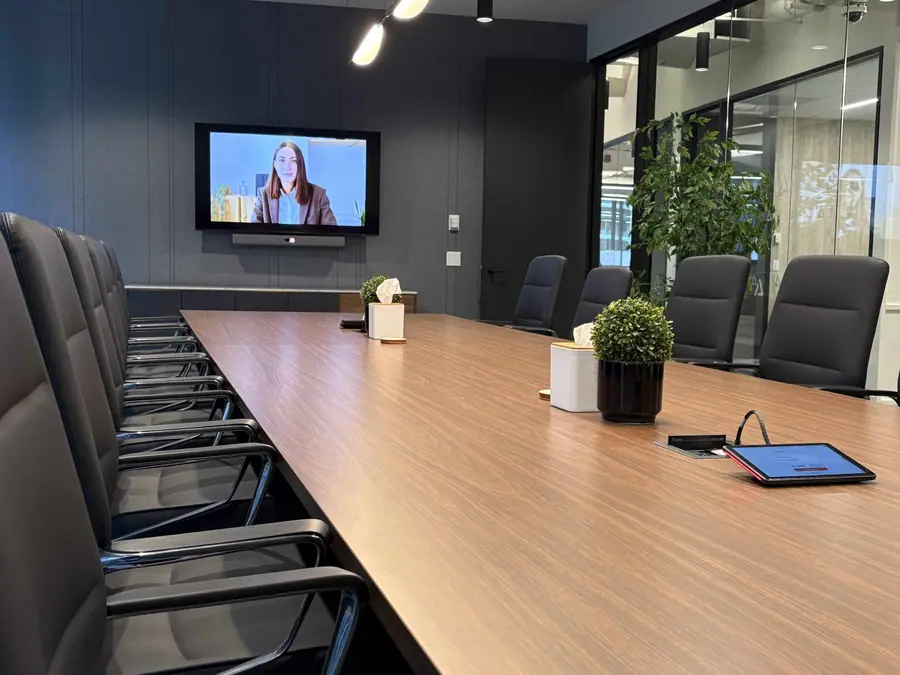
Large Boardrooms
Woman-Owned, Community-Focused
Stepping Past the “Old AV” to A Future-Proof Mindset
The River Systems Process: An Honest Outline
- First Conversation: We start by asking questions about your office setup and daily meeting patterns. Are you mostly calling external clients or running internal scrums? Do you frequently bring in remote staff from different time zones? Understanding your flow helps us tailor a plan.
- Assessment: We might ask for floor plans, photos, or a quick walkthrough. Room dimensions, seating arrangement, possible acoustic challenges - these all shape which hardware we propose.
- Practical Proposal: We’ll come back with suggestions that address your must-haves without piling on extraneous gear. This might include a specific model of camera, an all-in-one mic/speaker bar, or a tabletop touch controller integrated with Zoom or Teams.
- Installation & Configuration: Our technicians do the physical work: mounting displays, hiding cables for a clean look, configuring the software, and testing call quality. Because we keep it straightforward, this phase is often less invasive than you might expect.
- Brief Orientation: Usually, employees find they can use the new room right away, but if you’d like a five-minute walk-through, we’re happy to provide that. People tend to pick it up quickly because we tie the system into the UC platform they already know.
- Ongoing Support: If any glitches arise or if you decide to expand into additional rooms, we remain a resource. Our solutions are easy enough that major service calls are rare, but we’re still here to assist if you ever want to add new features or rearrange the space.
Huddle spaces, small and medium conference rooms, large boardrooms, personal systems. Every room type has a package behind it.
See room packagesAddressing Common Concerns Without Inventing Scenarios
- “Won’t a simpler system limit our options?” Not if we choose quality hardware and let your UC platform handle advanced features. A single wide-view camera or an all-in-one bar can easily accommodate screen sharing, HD video, and even auto-framing if it’s baked into the device.
- “How do we handle remote employees or multiple offices?” Because we integrate with Zoom or Teams, remote folks join just as easily as on-site participants. You can also standardize the same setup in different offices for uniformity.
- “What if we’re planning to move offices next year?” Our minimal approach is portable. The fewer specialized or built-in devices you have, the simpler it is to relocate. You can typically uninstall a few pieces, transport them, and reinstall with minimal fuss.
- “Is it secure?” Zoom and Teams both have robust security features, and we follow best practices to keep your network secure. By sticking to mainstream UC platforms, you get regularly updated security patches as well.
Why Dallas Businesses Love the Simplicity Angle
Moving Toward Your Own Easy, Reliable Meeting Rooms
Concluding Thoughts: Simple Solutions for a Fast-Paced City
Proven Work
Success stories from real rooms
See all case studies Government and public meeting solutions
Book Free Consultation
Contact River Systems (Dallas)
Fill out the form below, and we'll arrange a consultation at a time most suitable for you.
Ready for rooms that just work?
Tell us about your spaces. We will map the right package, timeline, and budget on one short call.
Book an intro call