From Huddle Spaces to Boardrooms: Right-Sizing Your Conference Room Tech

Most conference rooms get the same tech, no matter the size. That’s a costly mistake that wastes budget and frustrates users. Getting conference room sizing right means matching gear to space—from a tight huddle room setup to a large boardroom video conferencing system. This guide breaks down how to choose scalable AV solutions that fit each room perfectly and improve meeting room tech optimization across your whole office.
Why Conference Room Sizing Actually Matters
You’ve probably walked into a meeting room where the camera can’t capture everyone, or the microphone picks up only half the conversation. Maybe you’ve sat in a small huddle space with a massive display that makes people squint from being too close. These aren’t just minor annoyances. They’re symptoms of poor conference room sizing that cost your company money and kill productivity.
When you treat all meeting spaces the same, you end up with overbuilt small rooms and underequipped large ones. The four-person huddle room doesn’t need a $3,000 camera system. Your 20-person boardroom can’t function with a single USB speakerphone. Right-sizing AV means spending smart and creating spaces people actually want to use.
Understanding Your Space Categories
Before you buy a single piece of equipment, you need to categorize your rooms. Most offices have three to five distinct types of meeting spaces, each with different needs.
Huddle Rooms (2-4 People)
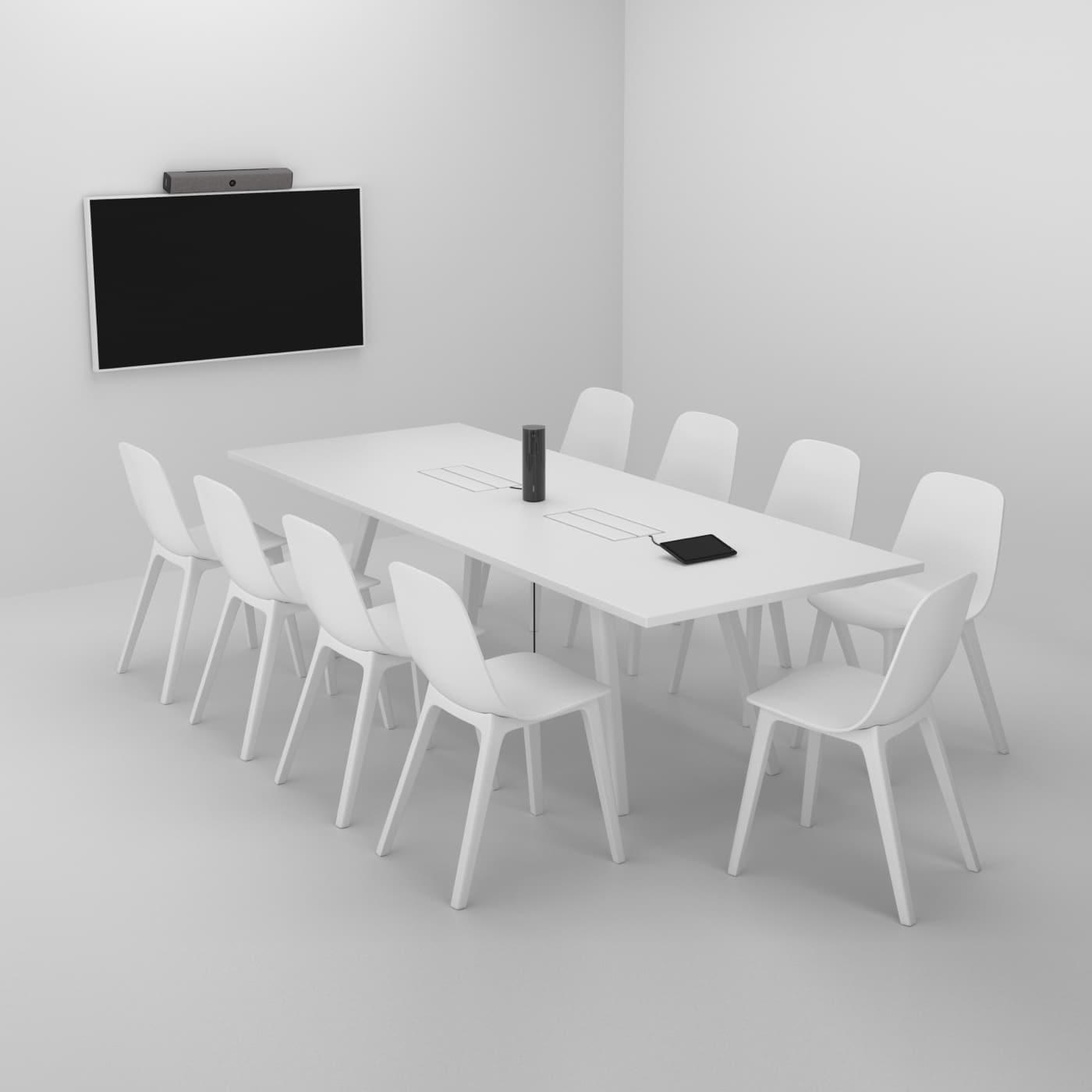
These are your smallest collaboration spaces. Think quick syncs, one-on-ones, or small team check-ins. A proper huddle room setup keeps things simple because cramming too much tech into a tiny space creates more problems than it solves.
Your huddle room needs basic video, clear audio, and easy screen sharing. That’s it. People should walk in, connect in seconds, and start their meeting. Anything more complex will sit unused.
Small Conference Rooms (5-8 People)
This is your workhorse meeting space. Small conference rooms host most of your daily meetings, from team standups to client calls. Getting conference room sizing right for this category pays off because you probably have more of these rooms than any other type.
These spaces need better audio coverage than huddle rooms since people sit farther from the microphone. You’ll want a camera with a wider field of view and a display large enough for everyone to see shared content clearly.
Medium Conference Rooms (9-14 People)
Medium rooms handle departmental meetings, training sessions, and medium-sized client presentations. This is where scalable AV solutions really start to matter because the tech needs to work for both in-room participants and remote attendees equally well.
Audio becomes trickier here. You might need multiple microphones to ensure everyone gets heard. Camera positioning matters more since you’re covering a longer table. Display size needs to increase so people at the back can actually read what’s on screen.
Large Conference Rooms and Boardrooms (15+ People)
Your boardroom video conferencing setup is your flagship space. This is where executives meet, big decisions happen, and important clients visit. The tech needs to work flawlessly every single time.
Large spaces demand professional-grade equipment. You’re looking at multiple displays, sophisticated camera systems that can track speakers, and audio setups that eliminate echo and provide crystal-clear sound. This isn’t the place to cut corners.
The Core Components of Right-Sizing AV
Every meeting room needs the same basic elements, but the quality and capability of each component should match the space. Let’s break down what changes as rooms get bigger.
Displays and Screens
For huddle rooms, a 42-55 inch display works great. People sit close, so you don’t need anything massive. Mount it at eye level and you’re good to go.
Small conference rooms do well with 55-65 inch displays. You want people at the far end of the table to read text on shared screens without straining.
Medium rooms often benefit from 65-75 inch displays, or even dual displays if you regularly show multiple content sources at once.
Large boardrooms might need 75-86 inch displays or multiple screens positioned around the room. Some organizations go with projection systems, but high-quality large displays have come down in price and offer better image quality.
Camera Systems
Huddle room cameras can be simple USB webcams with decent quality. Look for something with at least 1080p resolution and a field of view around 90-120 degrees.
Small conference rooms need cameras with wider angles (120-150 degrees) to capture everyone around the table. Auto-framing features start becoming useful here.
Medium rooms benefit from cameras with speaker tracking or multiple camera positions. You want remote participants to see who’s talking, not just a wide shot of the whole room.
Boardroom video conferencing demands professional PTZ (pan-tilt-zoom) cameras or intelligent camera systems that automatically frame speakers. Some setups use multiple cameras to provide different views.
Audio Equipment
This is where most people mess up conference room sizing. Bad audio ruins meetings faster than any other tech problem.
Huddle rooms can use all-in-one soundbars or compact speakerphones. Keep the microphone pickup range matched to the room size, typically 8-10 feet for small spaces.
Small conference rooms need better speakerphones or ceiling microphones with 15-20 foot pickup ranges. Make sure your audio device can handle the room volume without echo.
Medium rooms often require multiple microphones to ensure even coverage. Ceiling mic arrays work well here, or you can use multiple tabletop microphones strategically placed.
Large boardrooms need professional audio systems with multiple microphones, DSP (digital signal processing) to eliminate echo and noise, and quality speakers positioned around the room.
Control Systems
Huddle rooms should be plug-and-play. A wireless presentation system or simple HDMI cable is all you need.
Small rooms can add basic control tablets or wall panels to select inputs and adjust volume.
Medium and large rooms benefit from comprehensive control systems that manage all AV components from a single interface. This makes it easier for non-technical people to run meetings without calling IT.
Building Scalable AV Solutions Across Your Organization
Here’s the thing about meeting room tech optimization: you want consistency in user experience even though the equipment differs by room size. Someone should be able to walk into any conference room and know how to start a meeting.
Standardize Your Platforms
Pick one video conferencing platform (Zoom, Teams, Google Meet) and build your rooms around it. Trying to support everything creates compatibility nightmares.
Choose equipment certified for your platform. Most major AV manufacturers offer devices specifically designed for Zoom Rooms, Microsoft Teams Rooms, or Google Meet hardware. These certified solutions work better and require less troubleshooting.
Create Consistent User Interfaces
Even though your huddle room setup uses different gear than your boardroom, the control interface should look similar. Use the same brand of control panels or tablets across all rooms when possible.
Train people once on how to use meeting rooms, and that knowledge should transfer to every space. If your huddle rooms use a one-touch join button, your boardrooms should too.
Plan for Future Growth
Scalable AV solutions mean thinking ahead. Buy equipment that can expand as needs change.
Choose camera systems that support adding additional cameras later. Pick audio solutions that let you add more microphones without replacing the entire system. Select displays with multiple input options for future connectivity needs.
Common Conference Room Sizing Mistakes
Let’s talk about what not to do, because I see these mistakes constantly.
Over-Engineering Small Spaces
Stop putting $10,000 worth of gear in a four-person huddle room. You’re wasting money that should go to upgrading your medium and large spaces. A huddle room setup should cost $2,000-4,000 all-in for quality equipment that works great.
Under-Equipping Boardrooms
Your executive team deserves better than a consumer-grade webcam. Skimping on boardroom video conferencing tech sends the wrong message to clients and makes important meetings harder than they should be. Budget appropriately for your flagship spaces.
Ignoring Acoustics
You can buy the best microphones money can buy, but they’ll sound terrible in a room with hard surfaces everywhere. Consider acoustic panels, carpet, or ceiling tiles that absorb sound. Room acoustics matter as much as the equipment you choose.
Forgetting About Cable Management
Cables everywhere look unprofessional and create trip hazards. Budget for proper cable management, in-table connectivity boxes, and cable raceways. Clean installations work better and last longer.
Buying Everything at Once
You don’t need to equip every conference room perfectly on day one. Start with your most-used spaces, learn what works, then apply those lessons to other rooms. This iterative approach to right-sizing AV saves money and prevents large-scale mistakes.
Practical Steps to Right-Size Your Conference Rooms
Ready to actually do this? Here’s your action plan.
Step 1: Audit Your Current Spaces
Walk through every meeting room in your office. Note the size, typical usage, current equipment, and what’s not working. Talk to actual users about their frustrations.
Count how many rooms you have in each size category. This tells you where to focus your budget.
Step 2: Define Requirements by Room Type
Create a standard spec sheet for each room category. List the exact equipment, features, and capabilities each type needs.
Your huddle room spec might include: 50″ display, 1080p camera with 120-degree field of view, speakerphone with 10-foot pickup, wireless presentation, simple control.
Your boardroom spec will be much more detailed, covering multiple displays, professional cameras, advanced audio, lighting control, and comprehensive automation.
Step 3: Set Realistic Budgets
Budget by room category, not by total room count. A good starting point:
Huddle rooms: $2,000-4,000 per room
Small conference rooms: $5,000-8,000 per room
Medium conference rooms: $10,000-15,000 per room
Large boardrooms: $20,000-50,000+ per room
These ranges assume quality equipment properly installed. You can spend less with DIY installation or more with premium brands and features.
Step 4: Test Before You Scale
Pick one room in each category and build it to spec. Use it for a month. Gather feedback. Adjust your standards based on real-world usage.
This testing phase prevents you from equipping 20 huddle rooms with gear that doesn’t quite work right. Learn on a small scale, then roll out confidently.
Step 5: Create Installation Standards
Document how equipment should be installed in each room type. Where does the display mount? How high? Where do cameras go? How are cables routed?
These standards ensure consistency and make future installations faster and cheaper.
Step 6: Train Your Users
The best conference room tech in the world fails if people don’t know how to use it. Create simple one-page guides for each room type. Post them in the rooms. Run quick training sessions.
Make it easy for people to get help when things go wrong. Whether that’s a help button in the room, a dedicated Slack channel, or a phone number to call.
Measuring Success and Making Adjustments
Meeting room tech optimization isn’t a one-time project. You need to track what’s working and fix what isn’t.
Track Usage Metrics
Most modern conference room systems provide analytics. Look at room utilization rates, meeting durations, and which rooms get booked most often.
If your expensive boardroom sits empty while small rooms are always booked, you might need more small rooms and fewer large ones.
Gather User Feedback
Send quarterly surveys asking people about their meeting room experiences. Keep it short: What works well? What frustrates you? What features do you wish you had?
Actually read the responses and act on common themes. If five people mention that the camera in Conference Room B doesn’t capture the whole table, fix it.
Monitor Support Tickets
Track how often each room generates tech support requests. Rooms that constantly need help either have bad equipment or confusing controls.
High-maintenance rooms drain IT resources. Fix the underlying problems instead of constantly troubleshooting the same issues.
Calculate ROI
Good conference room sizing saves money in surprising ways. Better video quality means fewer people traveling for meetings. Reliable tech means meetings start on time instead of wasting 10 minutes on technical difficulties.
Track these soft savings. They justify continued investment in quality AV systems.
Future-Proofing Your Conference Room Strategy
Technology changes fast, but good planning keeps your rooms relevant for years.
Build Flexibility Into Your Infrastructure
Run extra cables to every room during installation. Add more network drops than you currently need. Install conduit for future cable runs.
This infrastructure work is cheap during initial installation but expensive to add later. Give yourself options.
Choose Upgradeable Systems
Buy camera systems where you can swap the camera without replacing the codec. Pick audio systems with modular components. Select control systems with software updates.
Upgradeable scalable AV solutions extend the life of your investment.
Stay Platform Agnostic When Possible
Video conferencing platforms come and go. Try to choose equipment that works across multiple platforms so you’re not locked into one vendor forever.
BYOD (bring your own device) capabilities give you flexibility as platforms evolve.
Plan Refresh Cycles
Conference room tech doesn’t last forever. Plan to refresh huddle room setups every 3-5 years, larger rooms every 5-7 years.
Budget for these refreshes now so you’re not caught off guard when equipment reaches end of life.
Getting Help With Right-Sizing AV
You don’t have to figure this out alone. Professional AV integrators specialize in conference room sizing and can design systems that perfectly match your needs.
Look for integrators who ask lots of questions about how you use your spaces, not just what your budget is. Good designers want to understand your workflow before recommending equipment.
Get multiple quotes and ask for references. Talk to other companies with similar office sizes about their experiences.
The right partner makes this process easier and helps you avoid expensive mistakes.
Making It Happen
Conference room sizing isn’t complicated, but it does require thoughtful planning. Match your tech to your space, standardize where it makes sense, and keep the user experience simple.
Start small, test your approach, and scale what works. Your teams will thank you with better meetings, fewer technical headaches, and more productive collaboration.
The investment in right-sizing AV pays off every single day in time saved, frustration avoided, and meetings that actually accomplish something.
Ready to upgrade your conference rooms the smart way? Take that room audit, define your categories, and start building spaces that work as hard as your teams do.
Frequently Asked Questions
What is the ideal size for a huddle room?
Huddle rooms typically accommodate 2-4 people and range from 100-150 square feet. These small collaboration spaces work best with simple, plug-and-play technology like basic displays, compact cameras, and all-in-one speakerphones. Keep the tech minimal so people can start meetings quickly without complex setup.
How much should I budget for conference room AV equipment?
Budget varies significantly by room size. Huddle rooms typically need $2,000-4,000 in equipment, small conference rooms $5,000-8,000, medium rooms $10,000-15,000, and large boardrooms $20,000-50,000 or more. These ranges include quality equipment and professional installation, though you can reduce costs with simpler gear or DIY setup.
What’s the most common mistake when equipping conference rooms?
The biggest mistake is using the same equipment across all room sizes. A four-person huddle room doesn’t need enterprise-grade boardroom technology, and a 20-person boardroom can’t function with basic consumer webcams. Match your equipment quality and capability to the specific room size and usage patterns to avoid wasting budget and frustrating users.
How do I ensure consistency across different sized conference rooms?
Focus on consistent user interfaces and workflows rather than identical equipment. Choose video conferencing solutions from the same platform (Teams Rooms, Zoom Rooms, etc.) across all spaces, use similar control panels or tablets, and create one-touch join experiences in every room. People should understand how to start a meeting in any space after learning once.
How often should conference room technology be upgraded?
Plan to refresh huddle room technology every 3-5 years and larger conference room systems every 5-7 years. Technology advances quickly, and older equipment may not support new video conferencing features or platform updates. Budget for these refresh cycles in advance so upgrades don’t catch you by surprise when equipment reaches end of life.
