
Upgrading Hospital Conference Rooms and Telehealth Spaces in Central Indiana
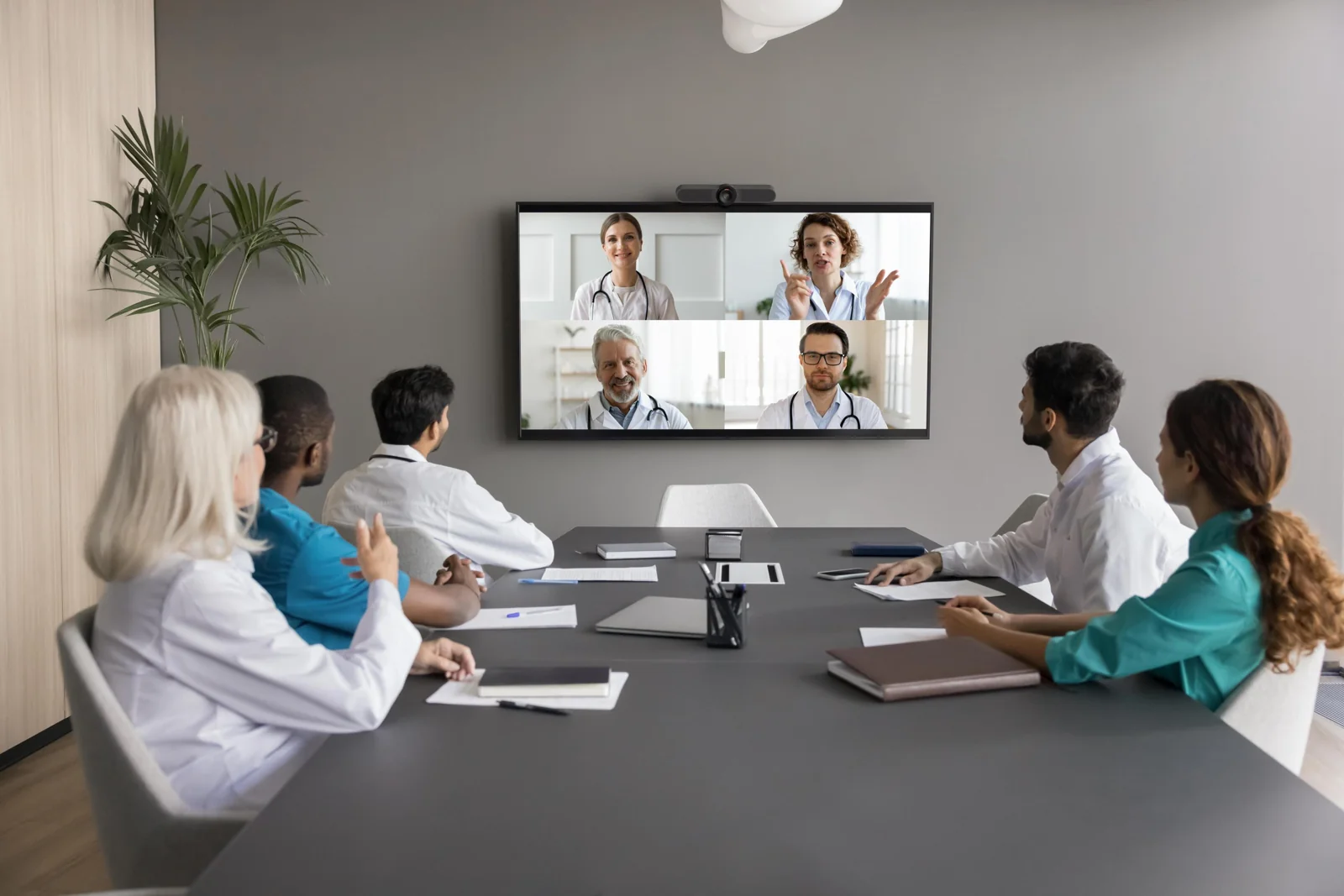
Hospital conference room AV often feels like an afterthought until meetings get tangled in poor connections and unclear audio. If your Central Indiana hospital's tech isn't keeping up, your teams and patients pay the price. Upgrading these spaces with trusted Indianapolis healthcare AV integrators can turn frustrating boardroom video calls into smooth, secure Zoom Rooms for healthcare that actually work. Let's explore how smart choices in medical boardroom video conferencing can improve collaboration and care.
Why Hospital Conference Room AV Matters More Than Ever
Your conference rooms aren't just spaces for quarterly reviews anymore. They're command centers for patient care coordination, remote consultations, staff training sessions, and critical interdepartmental meetings. When your hospital conference room AV falls short, you're not just dealing with technical hiccups. You're risking miscommunication that can affect patient outcomes.
Think about your last video call where someone said "Can you hear me?" five times before giving up. Now imagine that happening during a time-sensitive case review or a specialist consultation. That's the reality many Central Indiana hospitals face with outdated conference room setups.
Modern healthcare moves fast. Your technology should keep pace. Medical teams need to share imaging results, discuss treatment plans, and coordinate care across multiple locations without fighting their tools. The right AV setup makes this possible.
Common Problems with Outdated Medical Boardroom Video Conferencing
Let's talk about what's probably frustrating your teams right now. Most hospitals we work with in Central Indiana share similar complaints about their current setups.
Audio Issues That Disrupt Critical Conversations
Poor microphone placement means doctors speaking from the back of the room sound like they're underwater. Echo and feedback create distractions during important discussions. Participants on the other end can't distinguish between speakers, leading to confusion about who's providing which input.
These aren't minor annoyances. When your cardiology team is conferencing with a specialist three states away about a complex case, every word matters. Bad audio puts patient care at risk.
Video Quality That Fails When It Counts
Grainy, pixelated video makes it impossible to review imaging studies or read shared documents during calls. Cameras with fixed positions can't capture everyone in the room, leaving remote participants feeling disconnected. Lighting problems create shadows that obscure facial expressions and body language.
Your teams deserve better. So do the patients whose care depends on these conversations.
Connectivity Problems That Waste Valuable Time
We've all been there. The meeting was supposed to start ten minutes ago, but you're still trying to get the laptop connected to the display. Different devices require different adapters. The wireless screen sharing works sometimes but not always. IT gets called in to troubleshoot, pulling them away from other critical tasks.
Healthcare professionals are already stretched thin. They shouldn't spend their limited time wrestling with technology that should just work.
Security Gaps That Put Patient Data at Risk
This one keeps CIOs up at night. Unsecured video conferencing systems create vulnerabilities for HIPAA violations. Consumer-grade equipment lacks the encryption and access controls required for discussing protected health information. Recording and storage solutions don't meet compliance requirements.
Your Central Indiana hospital tech needs to protect patient privacy while enabling collaboration. That's not negotiable.
What Makes Secure Zoom Rooms for Healthcare Different
You might wonder why healthcare needs specialized conference room solutions. Can't you just use the same setup as any other business? Not if you want to stay compliant and provide quality care.
Built-in Compliance Features
Proper secure Zoom Rooms for healthcare come with end-to-end encryption, access controls, and audit trails. They're designed with HIPAA requirements in mind from the ground up. You get waiting rooms that prevent unauthorized access, recording controls that meet retention policies, and data handling that keeps patient information protected.
Working with an experienced Indianapolis healthcare AV integrator means getting systems configured correctly from day one. No guesswork about whether you're meeting regulatory requirements.
Reliability You Can Count On
Healthcare doesn't stop for technical difficulties. Your medical boardroom video conferencing needs to work every single time. Professional-grade systems include redundancy, automatic failover, and monitoring that catches problems before they disrupt meetings.
Quality components last longer and perform better under constant use. When you're running multiple meetings daily across different departments, that reliability becomes essential.
User-Friendly Interfaces for Busy Clinical Staff
Doctors and nurses aren't IT specialists. They need systems that work intuitively without extensive training. One-touch meeting starts, simple controls, and consistent experiences across all conference rooms reduce friction and support adoption.
The easier your hospital conference room AV is to use, the more likely your teams will actually use it. Technology that sits unused because it's too complicated is just expensive furniture.
Key Components of Modern Hospital Conference Room AV
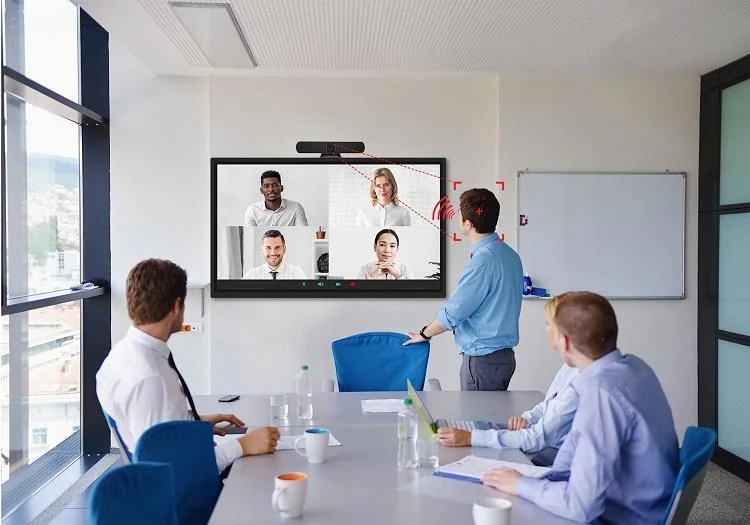
Let's break down what goes into a properly designed conference room for healthcare settings. Understanding these pieces helps you make informed decisions about upgrades.
Professional Camera Systems
Forget the basic webcam stuck on top of a monitor. Modern conference rooms need cameras with auto-framing that tracks speakers and keeps everyone visible. Multiple camera options let you switch views depending on the meeting type. 4K resolution ensures clarity for detailed visual content.
Pan-tilt-zoom functionality means remote participants can see the whole room or focus on specific areas. This matters when reviewing physical documents, demonstrating equipment, or including larger groups in discussions.
Enterprise-Grade Audio Solutions
Ceiling microphone arrays pick up voices evenly across the room without requiring anyone to lean toward a speakerphone. Beamforming technology focuses on active speakers while reducing background noise. Echo cancellation keeps conversations natural.
High-quality speakers positioned properly ensure everyone hears clearly without cranking the volume. Acoustic treatments address room-specific challenges that affect sound quality.
Display Technology That Serves Multiple Purposes
Large, high-resolution displays make content visible to everyone in the room. Dual displays let you see remote participants on one screen while viewing shared content on another. Interactive touchscreens turn passive viewing into collaborative workspaces.
Consider sightlines from all seating positions. The best display in the world doesn't help if half the room can't see it properly.
Smart Control Systems
Integrated control panels bring everything together. Adjust lighting, lower shades, start meetings, and control volume from one interface. Preset configurations for different meeting types speed up room setup.
Automation reduces the steps required to get started. Walk in, tap a button, and your scheduled meeting launches with correct settings already applied.
Network Infrastructure That Supports It All
None of this works without proper network backbone. Dedicated bandwidth for video conferencing prevents quality degradation during high-traffic periods. Quality of Service (QoS) settings prioritize conference room traffic. Wired connections where possible provide more stability than wireless.
Your IT team needs to be involved in planning to ensure the network can handle the demands of modern medical boardroom video conferencing.
Choosing the Right Indianapolis Healthcare AV Integrator
Not all AV companies understand healthcare's unique requirements. Selecting the right partner makes the difference between a smooth upgrade and an expensive headache.
Healthcare-Specific Experience Matters
Look for integrators who've worked extensively with hospitals and medical facilities. They should understand HIPAA compliance, infection control considerations, and the specific workflows of healthcare environments. Ask for references from other Central Indiana hospitals they've served.
Generic corporate AV experience doesn't translate directly to healthcare settings. The stakes are higher, the requirements are stricter, and the use cases are different.
Comprehensive Service Offerings
The best partners handle everything from initial assessment through ongoing support. Design services that account for your specific room layouts and use cases. Professional installation that minimizes disruption to hospital operations. Training that gets your staff comfortable with new systems. Maintenance plans that keep everything running smoothly.
Piecing together services from multiple vendors creates coordination headaches and finger-pointing when problems arise. One accountable partner simplifies everything.
Local Presence and Responsive Support
When something goes wrong with your Central Indiana hospital tech, you need help fast. Local integrators can respond quickly for urgent issues. They understand regional considerations and can visit your facility easily for assessments, installations, and service calls.
National companies might offer lower initial quotes, but consider the value of having knowledgeable technicians who can be on-site within hours when needed.
Scalable Solutions That Grow With You
Your needs will change. Maybe you're starting with a few critical conference rooms but plan to expand later. Perhaps you're adding telehealth capabilities or upgrading multiple facilities over time. Choose partners who design systems that scale without requiring complete replacement.
Standardizing on platforms and equipment makes expansion easier and training simpler. Your staff learns one system that works the same way across all locations.
Planning Your Hospital Conference Room AV Upgrade
Ready to move forward? Here's how to approach your upgrade project for the best results.
Start With a Needs Assessment
Before shopping for equipment, understand what you actually need. Which rooms get used most frequently? What types of meetings happen in each space? How many participants typically attend? What specific pain points do users report?
Walk through your current spaces with stakeholders from different departments. Clinical staff, IT, facilities, and administration all have valuable perspectives. Document everything to create a clear picture of requirements.
Prioritize Based on Impact and Budget
You probably can't upgrade everything at once. Rank your conference rooms by importance and usage. Focus initial investments where they'll have the biggest impact on patient care and operational needs.
Main boardrooms, department conference spaces, and rooms used for telehealth should likely top your list. Smaller huddle rooms and occasional-use spaces can follow in later phases.
Create a Realistic Timeline
Hospital operations can't stop for renovations. Work with your Indianapolis healthcare AV integrator to schedule installations during off-hours or low-usage periods. Plan for adequate testing before rooms go live. Build in time for staff training and adjustment.
Rushing leads to mistakes and disruption. A well-planned rollout might take longer but creates better outcomes.
Budget for the Complete Solution
Don't just price equipment. Factor in installation labor, network upgrades, furniture modifications, acoustic treatments, training, documentation, and ongoing support. Hidden costs derail projects when you haven't planned for them.
Quality hospital conference room AV is an investment, not an expense. Calculate the return in terms of improved collaboration, reduced travel costs, better patient outcomes, and staff satisfaction.
Plan for Training and Adoption
The fanciest system in the world doesn't help if nobody uses it. Schedule hands-on training sessions for different user groups. Create simple reference guides posted in each room. Designate department champions who can help colleagues get comfortable with new technology.
Make it easy for people to get help when they need it. Quick-start videos, help desk support, and responsive service all encourage adoption.
Real-World Benefits of Upgraded Medical Boardroom Video Conferencing
Let's talk about what changes when you get this right. These aren't theoretical benefits. They're real improvements we see at Central Indiana hospitals after proper upgrades.
Faster, More Effective Clinical Collaboration
Specialists can join case discussions from anywhere without travel time. Multi-site tumor boards happen smoothly with clear audio and video. Imaging studies display with the resolution needed for accurate review. Decisions get made faster because the right people can participate regardless of location.
This directly improves patient care. When your team can collaborate effectively, patients benefit from better-coordinated treatment plans and access to broader expertise.
Reduced Travel Time and Costs
Your specialists are valuable resources. Every hour spent driving between facilities is an hour not spent seeing patients. Video conferencing that actually works reduces unnecessary travel while maintaining quality communication.
Calculate the cost of physician time spent traveling to meetings. The savings from reduced travel can justify AV investments pretty quickly.
Better Staff Satisfaction and Retention
Healthcare workers are burned out. Anything that makes their jobs easier and less frustrating helps. When technology works smoothly instead of creating obstacles, people feel supported. They can focus on patient care instead of fighting with equipment.
Happy staff stick around longer. Retention matters in healthcare's tight labor market.
Enhanced Continuing Education Opportunities
Medical knowledge evolves constantly. Staff need ongoing education to stay current. High-quality conference rooms enable remote training sessions, grand rounds with distant presenters, and participation in virtual conferences without travel expenses.
Your team gets access to more learning opportunities. Patient care improves as staff stay up-to-date with latest practices.
Improved Emergency Response Coordination
During crises, rapid communication across your organization becomes critical. Reliable video conferencing lets leadership teams coordinate response efforts, share information quickly, and make decisions with input from necessary stakeholders.
When seconds count, your Central Indiana hospital tech needs to work flawlessly. Proper conference room AV ensures it does.
Maintaining Your Investment Over Time
Installation isn't the end of the story. Ongoing care keeps your systems performing well for years.
Regular Preventive Maintenance
Schedule periodic check-ups for all components. Clean camera lenses, test microphone arrays, verify network performance, update firmware, and check all connections. Small issues caught early don't become big problems that disrupt important meetings.
Your Indianapolis healthcare AV integrator should offer maintenance plans that include regular service visits and priority support.
User Feedback and Continuous Improvement
Create channels for staff to report issues and suggest improvements. Track which rooms have recurring problems. Monitor usage patterns to understand how spaces are actually being used versus how you planned for them.
Technology and needs both change. Stay responsive to evolving requirements.
Technology Refresh Planning
Nothing lasts forever. Plan for equipment lifecycles and budget for eventual replacements. Staying somewhat current prevents falling so far behind that upgrades become overwhelming.
A rolling refresh schedule spreads costs over time and keeps your hospital conference room AV competitive with current standards.
Staff Onboarding and Ongoing Training
New employees need training on conference room systems. Existing staff benefit from refreshers and updates when features change. Make AV training part of your standard onboarding process.
The more comfortable people are with the technology, the more value you get from your investment.
Taking the Next Step
Your Central Indiana hospital deserves conference rooms that support excellent patient care instead of creating obstacles. Medical boardroom video conferencing should be reliable, secure, and easy enough that clinical staff can focus on medicine instead of technology.
Start by evaluating your current situation honestly. Where are the biggest pain points? Which upgrades would have the most impact? What's your realistic budget and timeline?
Then reach out to experienced Indianapolis healthcare AV integrators who understand your specific needs. Get multiple perspectives, ask for detailed proposals, and check references from similar healthcare organizations.
The right partner will listen carefully to your requirements, design solutions tailored to your spaces and workflows, and support you through implementation and beyond. They'll help you create secure Zoom Rooms for healthcare that your teams will actually want to use.
Don't let outdated technology hold back your clinical teams. Better collaboration tools lead to better patient care. Your hospital's mission deserves conference room AV that works as hard as your staff does.
Ready to stop fighting with your conference room technology? It's time to explore what modern hospital conference room AV can do for your organization. The investment in proper systems pays dividends in improved care coordination, staff satisfaction, and operational effectiveness.
Your patients, your staff, and your bottom line will all benefit from getting this right. Take the first step today.
Frequently Asked Questions
What makes healthcare conference rooms different from standard corporate meeting spaces?
Healthcare conference rooms must meet HIPAA compliance requirements for protecting patient information during video calls. They need end-to-end encryption, secure access controls, and proper recording management. Medical facilities also require higher reliability standards since clinical discussions can't be postponed due to technical failures, and they often need specialized features like high-resolution displays for reviewing medical imaging.
How long does it typically take to upgrade a hospital conference room with new AV equipment?
Most conference room upgrades take between two to five days depending on the room size and complexity of the installation. Simple rooms with basic equipment might be completed in a single day, while large boardrooms with advanced systems, acoustic treatments, and network upgrades can take a full week. Experienced integrators schedule work during off-hours to minimize disruption to hospital operations.
Can we use consumer video conferencing platforms like standard Zoom for patient-related discussions?
Consumer platforms don't meet HIPAA requirements for healthcare use. You need healthcare-specific versions with Business Associate Agreements, enhanced encryption, and compliance features. Secure Zoom Rooms for healthcare, Zoom for Healthcare, Microsoft Teams for Healthcare, and similar enterprise solutions provide the necessary protections. Your Indianapolis healthcare AV integrator can configure these platforms properly within your conference room systems.
What's the typical lifespan of hospital conference room AV equipment before it needs replacement?
Quality professional AV equipment typically lasts five to seven years with proper maintenance. Displays and projectors often need replacement after five years, while control systems and infrastructure might last longer. Technology advances quickly, so you may choose to upgrade sooner to take advantage of new features even if existing equipment still functions. Plan for a rolling refresh cycle rather than replacing everything at once.
How do we get staff to actually use new conference room technology instead of falling back to old habits?
Success comes from choosing intuitive systems that require minimal training, providing hands-on practice sessions for all users, creating simple reference guides in each room, and offering responsive support when people have questions. One-touch meeting starts and consistent interfaces across all rooms reduce the learning curve. Identify department champions who embrace the technology and can help their colleagues get comfortable with new systems.