
Order in the Video Court: Designing Reliable AV for Legal Proceedings

Technical glitches in video courtroom AV happen at the worst moments - when a remote witness is on the stand or a judge needs clear evidence. You've seen how unreliable setups slow down proceedings and add stress to everyone involved. This guide will show you how to design courtroom AV that keeps legal video conferencing smooth and secure, so your justice system tech works exactly when it matters most.
Understanding the Stakes of Courtroom AV Design
Let's be honest: when your video courtroom AV fails during a critical hearing, everyone feels it. The judge gets frustrated. Attorneys lose their rhythm. Witnesses become confused. And the entire legal process grinds to a halt while someone tries to fix the problem.
The good news? You can avoid these scenarios with proper courtroom AV design. Modern justice system tech has come a long way, and building reliable systems isn't as complicated as you might think. You just need to focus on the right priorities from the start.
Why Traditional AV Approaches Fall Short
Many courtrooms still rely on outdated technology that wasn't designed for today's hybrid legal proceedings. These systems were built for simple presentations, not for the complex demands of remote witness technology and multi-party video calls. When you try to retrofit old equipment for new purposes, you're setting yourself up for problems.
The legal environment has specific requirements that differ from standard conference rooms. You need crystal-clear audio so court reporters can capture every word. Video quality must be good enough to read documents and see facial expressions. And everything needs to work without requiring a tech expert in the room at all times.
Core Components of Reliable Video Courtroom AV
Building a solid foundation starts with understanding what makes legal video conferencing different from regular video calls. Let's break down the essential elements.
Audio Systems That Capture Every Word
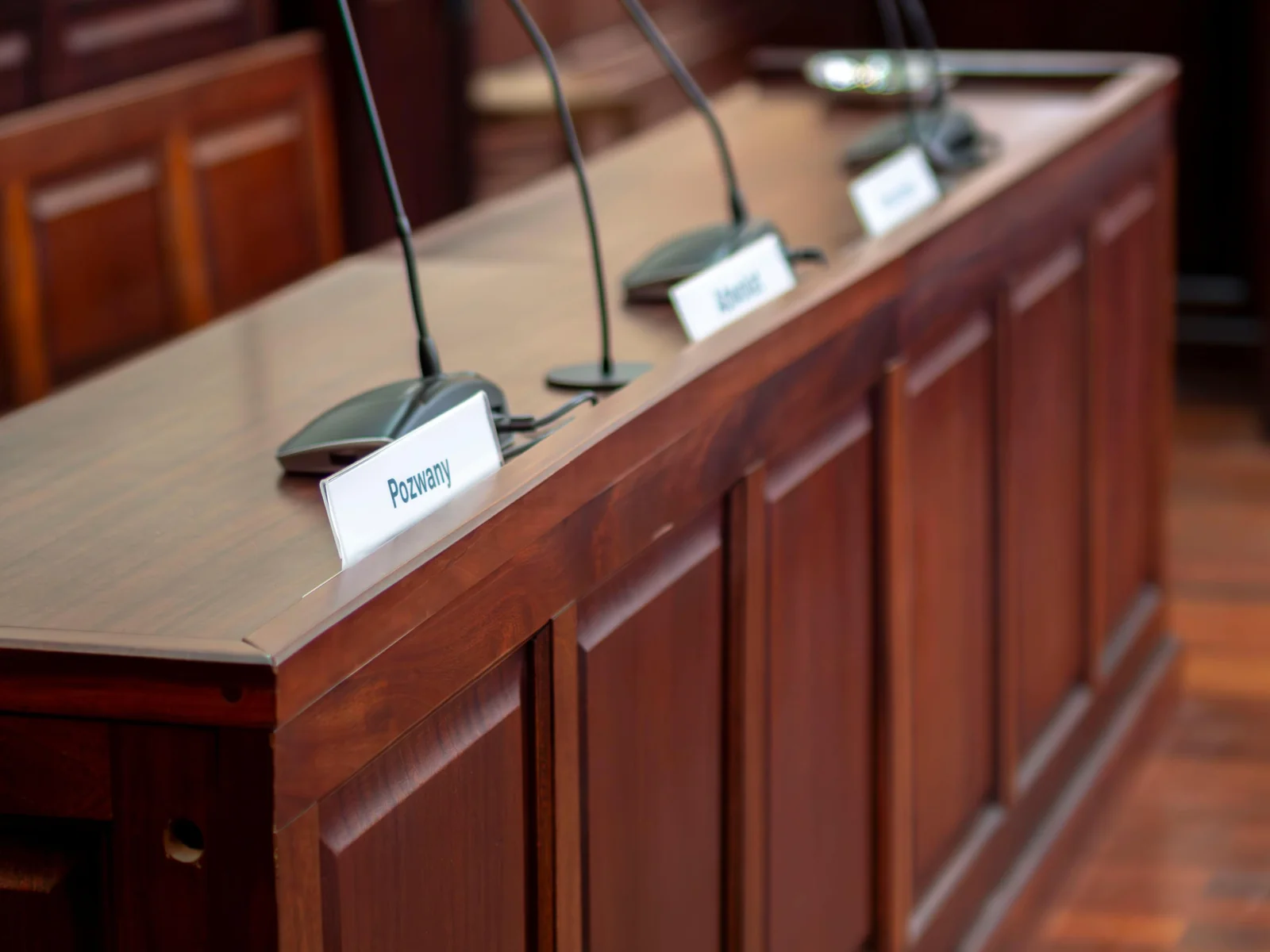
Audio quality matters more in courtrooms than almost anywhere else. Court reporters need to hear testimony clearly. Judges must understand every argument. And the official record depends on accurate audio capture.
Start with professional-grade microphones placed strategically throughout the courtroom. Ceiling microphones work well for general coverage, but you'll want dedicated microphones at the witness stand, judge's bench, and attorney tables. These should be easy to mute and unmute without creating loud clicking sounds that disrupt proceedings.
Your speaker system needs to deliver clear sound to every corner of the room. Poor speaker placement creates dead zones where people can't hear remote participants. Test your audio from multiple locations in the courtroom, including the jury box and gallery seating.
Don't forget about acoustic treatment. Hard surfaces in courtrooms create echo and reverberation that make remote witness technology harder to use. Simple acoustic panels can make a huge difference in audio clarity without requiring major construction work.
Video Systems for Clear Visual Evidence
Video quality in secure virtual courtrooms serves multiple purposes. You need clear views of participants for the record. Documents and evidence must be readable on screen. And body language needs to be visible for credibility assessments.
Install multiple cameras to cover different areas. A camera on the witness stand should provide a clear view of anyone testifying remotely or in person. Additional cameras can cover the judge's bench, attorney tables, and the overall courtroom for comprehensive documentation.
Choose cameras that perform well in varying light conditions. Courtrooms often have windows that create challenging lighting situations. Auto-focus features help ensure faces stay sharp even when people move or lean forward.
Display screens need to be large enough for everyone to see clearly but positioned so they don't obstruct sight lines. Many courtrooms benefit from multiple displays placed at different locations. This ensures attorneys, judges, and jurors can all see remote participants without craning their necks.
Network Infrastructure That Won't Let You Down
Your courtroom AV design is only as good as the network supporting it. Video calls require substantial bandwidth, and you can't afford to have connections drop during testimony.
Dedicate network resources specifically for courtroom AV systems. Sharing bandwidth with general courthouse internet traffic creates competition that can degrade video quality. Set up Quality of Service (QoS) rules that prioritize legal video conferencing traffic over other network activities.
Wired connections beat wireless every time for reliability. While Wi-Fi might seem more convenient, hardwired Ethernet connections provide the stable, consistent performance that justice system tech demands. Save wireless for backup or supplementary devices only.
Build in redundancy wherever possible. Dual network connections, backup internet providers, and failover systems might seem like overkill until the day they save a critical hearing from postponement.
Security Considerations for Legal Video Conferencing
Courts handle sensitive information that requires protection. Your video courtroom AV system needs security features that maintain confidentiality while remaining easy to use.
Protecting Confidential Communications
Encryption should be standard for all video streams and audio feeds. Choose platforms that offer end-to-end encryption for secure virtual courtrooms. This protects attorney-client communications and keeps sensitive testimony private.
Control access carefully. Not every hearing should be publicly accessible via video. Your system needs simple ways to restrict who can join virtual courtroom sessions. Authentication methods should be straightforward enough that authorized users don't struggle but strong enough to keep unauthorized people out.
Consider recording capabilities and storage security. Many proceedings need to be recorded for the official record, but those recordings contain sensitive information. Store them on secure servers with proper access controls and retention policies.
Managing Virtual Waiting Rooms
Just like physical courtrooms have hallways where people wait before being called, secure virtual courtrooms need digital waiting rooms. This prevents witnesses from hearing other testimony before their turn and keeps unauthorized people from entering active proceedings.
Your remote witness technology should include features that let court staff admit participants individually. This gives you control over who enters the virtual courtroom and when. Clear visual indicators help staff know who's waiting to join.
User-Friendly Controls for Non-Technical Users

Judges and court staff shouldn't need IT training to run courtroom AV systems. Simple, intuitive controls make the difference between technology that helps and technology that hinders.
Touch Panel Interfaces That Make Sense
Install control panels with clear, labeled buttons. "Start Hearing," "Admit Witness," and "Share Evidence" make more sense than technical jargon. Group related functions together logically so users can find what they need quickly.
Provide visual feedback for all actions. When someone mutes a microphone, show a clear muted indicator. When a camera activates, display which camera is live. This helps users confirm their actions worked without guessing.
Keep the most common functions front and center. Starting a video call, adjusting volume, and sharing screens should require minimal button presses. Less frequently used features can be tucked into submenus to avoid cluttering the main interface.
Preset Configurations for Common Scenarios
Create one-touch presets for typical courtroom situations. A "Remote Witness" preset might activate the witness stand camera, unmute the appropriate microphones, and connect to the video conferencing platform automatically. An "Evidence Presentation" preset could route a document camera to all displays with a single button press.
These presets reduce the cognitive load on users and minimize the chance of configuration mistakes. Court staff can focus on legal proceedings instead of wrestling with technology settings.
Choosing the Right Video Conferencing Platform
Not all video conferencing platforms work equally well for legal video conferencing. Courts have unique needs that consumer-focused platforms don't always address.
Features That Matter for Legal Proceedings
Look for platforms designed specifically for justice system tech or that offer features suited to legal use. Recording capabilities with proper chain of custody documentation help maintain official records. Participant management tools need to handle complex scenarios like multiple attorneys, witnesses, and observers.
Integration with existing court systems saves time and reduces errors. If your platform can pull case information and participant lists from your case management system, you'll spend less time on manual data entry and reduce the risk of connecting the wrong people to a hearing.
Reliability trumps fancy features. You need a platform that works consistently, not one loaded with bells and whistles that might break. Check uptime statistics and read reviews from other courts before committing to a solution.
Testing and Backup Plans
Even the best video courtroom AV systems can have problems. Your courtroom AV design should include backup plans for when things go wrong.
Test your systems regularly with mock hearings. This helps staff stay familiar with the technology and reveals potential issues before they affect real proceedings. Include various scenarios in your testing: poor internet connections, audio feedback, and participant technical difficulties.
Keep backup equipment ready. An extra laptop, spare cables, and a backup camera can save the day when primary equipment fails. Store these items in an accessible location with clear instructions for use.
Train multiple staff members on system operation. If only one person knows how to run the video courtroom AV, you're vulnerable whenever that person is unavailable. Cross-training creates resilience and ensures someone can always step in to help.
Supporting Remote Witness Technology Effectively
Remote witnesses present unique challenges that require thoughtful planning in your courtroom AV design.
Preparing Witnesses for Virtual Testimony
Create clear instructions for remote witnesses before their court date. Explain technical requirements, test their setup in advance, and provide troubleshooting resources. This preparation reduces technical difficulties during actual testimony.
Offer practice sessions where witnesses can connect to your secure virtual courtrooms and see how everything works. This familiarizes them with the technology and reduces anxiety about the technical aspects of their testimony.
Provide technical support contact information that witnesses can reach easily. When someone has connection trouble, quick access to help prevents long delays in proceedings.
Managing Technical Issues During Testimony
Have a protocol for handling technical problems that arise during testimony. Decide in advance how long you'll troubleshoot before taking a recess or rescheduling. This prevents endless attempts to fix problems while everyone waits.
Keep a technical support person available during remote witness testimony. This person can help troubleshoot issues without pulling the judge or court staff away from their primary responsibilities.
Document technical problems for pattern recognition. If certain issues recur, you can address root causes rather than repeatedly treating symptoms.
Training and Support for Long-Term Success
Technology only works when people know how to use it. Invest in proper training for everyone who will interact with your justice system tech.
Initial Training Programs
Conduct hands-on training sessions for judges, court staff, and attorneys. Classroom presentations help, but nothing beats actually using the equipment under supervision. Let people practice starting hearings, admitting participants, and handling common scenarios.
Create role-specific training. Judges need different knowledge than IT staff. Tailor your training to what each group actually needs to know rather than overwhelming everyone with every detail.
Record training sessions so people can review them later. Written guides and video tutorials provide reference materials when questions arise after initial training.
Ongoing Support and Refresher Training
Technology skills fade without regular use. Schedule periodic refresher training to keep everyone sharp. These sessions also provide opportunities to introduce new features or updated procedures.
Establish clear support channels for when problems occur. Who should staff call when something goes wrong? How quickly can they expect help? Make this information readily available and easy to find.
Gather feedback from users regularly. The people using your video courtroom AV daily will spot issues and improvement opportunities that might not be obvious to system designers. Create channels for this feedback and act on it.
Maintaining Your Courtroom AV Investment
Like any technology, video courtroom AV systems require ongoing maintenance to stay reliable.
Preventive Maintenance Schedules
Create a regular maintenance calendar that covers all system components. Check cable connections, clean camera lenses, update software, and test backup systems on a predictable schedule. Preventive maintenance catches small problems before they become hearing-disrupting failures.
Keep detailed maintenance logs. Track what was checked, what was found, and what was fixed. These records help identify patterns and plan for future upgrades or replacements.
Monitor system performance metrics. Many modern justice system tech platforms provide analytics about connection quality, usage patterns, and potential issues. Review these regularly to spot developing problems.
Planning for Technology Refresh Cycles
Technology evolves quickly. What works perfectly today might be outdated in a few years. Plan ahead for equipment replacement and system upgrades.
Budget for technology refresh on a predictable cycle. This prevents the crisis of everything breaking at once because it was all installed at the same time years ago. Staggered replacement schedules spread costs over time and ensure you always have current technology.
Stay informed about developments in legal video conferencing and remote witness technology. New features and capabilities might solve problems you're currently struggling with. Attend conferences, join professional groups, and network with peers at other courts.
Real-World Success Stories
Courts across the country have successfully implemented reliable video courtroom AV systems. Their experiences offer valuable lessons.
Small rural courts have used remote witness technology to access expert witnesses who would never travel to their locations. This improves case outcomes while reducing costs and delays.
Large urban courts have handled increased caseloads by running hybrid dockets where some participants appear remotely while others attend in person. Well-designed courtroom AV systems make these hybrid proceedings run smoothly.
Specialty courts dealing with sensitive cases have used secure virtual courtrooms to protect vulnerable witnesses while maintaining due process. Proper security features make this possible without compromising the integrity of proceedings.
Moving Forward with Confidence
You now have a solid understanding of what makes video courtroom AV reliable and effective. The key is starting with clear requirements, choosing quality components, and supporting your system with proper training and maintenance.
Don't let perfect be the enemy of good. You might not be able to implement everything at once, but you can start with the most critical elements and build from there. Prioritize audio quality and network reliability first, then add advanced features as resources allow.
Work with vendors who understand justice system tech specifically. Generic AV installers might not appreciate the unique requirements of legal video conferencing. Seek out partners with courthouse experience who can guide you through the process.
Remember that technology serves the legal process, not the other way around. Your courtroom AV design should make proceedings smoother and more accessible without adding complexity that slows things down. When done right, remote witness technology and secure virtual courtrooms expand access to justice while maintaining the dignity and formality that courts require.
Start planning your courtroom AV improvements today. Talk with other courts about their experiences. Evaluate your current systems honestly. And take the first steps toward building the reliable, user-friendly video courtroom AV that your court deserves. The investment you make now will pay dividends in smoother proceedings, reduced delays, and better access to justice for everyone involved.
Frequently Asked Questions
What are the most important components of a reliable video courtroom AV system?
The three most critical components are professional-grade audio equipment with microphones at key locations, high-quality video cameras positioned to capture all participants clearly, and a dedicated, wired network connection that won't fail during proceedings. These form the foundation that everything else builds on. Without solid audio, video, and network infrastructure, no amount of additional features will create a reliable system.
How can courts ensure security when using remote witness technology?
Start by choosing platforms that offer end-to-end encryption for all video and audio streams. Implement strong authentication to control who can access virtual courtrooms, and use waiting room features to admit participants individually. Store any recordings on secure servers with proper access controls, and establish clear protocols for handling sensitive information during virtual proceedings.
What should courts look for when choosing a legal video conferencing platform?
Prioritize reliability and uptime over flashy features you might never use. Look for platforms designed specifically for legal proceedings or those offering features like proper recording with chain of custody documentation, participant management tools for complex hearings, and integration capabilities with existing case management systems. Test the platform thoroughly with mock hearings before committing to it for real proceedings.
How can court staff be trained to use video courtroom AV systems effectively?
Provide hands-on training sessions where staff actually practice using the equipment under supervision, not just classroom presentations. Create role-specific training that teaches people what they need to know for their particular responsibilities. Offer recorded training sessions and written guides for later reference, and schedule periodic refresher training to maintain skills and introduce new features.
What backup plans should courts have for when video courtroom AV systems fail?
Keep backup equipment like spare laptops, extra cables, and additional cameras readily available with clear instructions for use. Establish protocols in advance for how long you'll troubleshoot before taking a recess or rescheduling, and ensure multiple staff members know how to operate the systems so you're not dependent on a single person. Regular testing helps identify potential issues before they affect actual proceedings.