
Modernizing Indiana Courtrooms: Reliable Video Conferencing for Hybrid Hearings
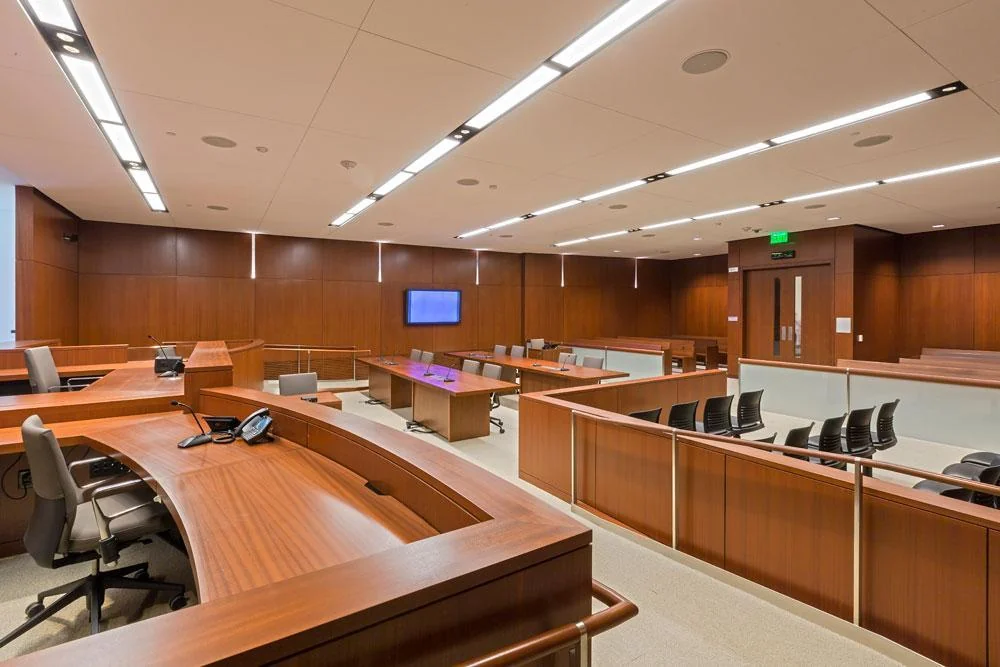
Old courtroom setups slowed every hearing down. Now, the push for dependable Indiana courtroom AV is reshaping how cases move forward. If you manage hybrid courtroom technology, understanding the latest in Indianapolis government video conferencing can save time and avoid costly delays. This post breaks down what secure judicial video systems mean for your court's daily flow.
Why Video Conferencing Matters for Indiana Courts Today
Let's be honest: running a courthouse in 2024 means juggling more than you ever expected. Remote witnesses, attorneys calling in from other counties, and defendants appearing from detention centers have become the new normal. You need systems that work every single time.
The reality is simple. When your Indiana courtroom AV fails during a critical hearing, everyone loses time. Judges get frustrated. Attorneys reschedule. Your staff scrambles to fix technical problems instead of focusing on case management.
Good news? Modern video systems designed specifically for legal settings solve these headaches. You just need to know what works and what doesn't.
What Makes Hybrid Courtroom Technology Different
Traditional conference room setups won't cut it in a courtroom. You're dealing with specific legal requirements that standard business tools can't handle.
Security Requirements Come First
Court proceedings involve sensitive information. Your secure judicial video systems must meet strict privacy standards. This means encrypted connections, controlled access, and audit trails that track every session.
Think about it. A defense attorney discussing case strategy with their client needs absolute confidence that nobody's listening in. Public defenders working with vulnerable populations need systems that protect confidential conversations.
Your Indianapolis government video conferencing setup should include:
-
End-to-end encryption for all video streams
-
Password-protected virtual courtrooms
-
Recording controls that only authorized staff can access
-
Compliance with state and federal privacy laws
Audio Clarity Matters More Than You Think
Ever tried to take testimony when you can barely hear the witness? It's a nightmare. Court reporters need crystal-clear audio to create accurate transcripts. Judges need to hear every word to make fair rulings.
Legal AV integration Indiana specialists focus heavily on microphone placement and audio processing. The goal is simple: everyone in the physical courtroom and everyone online should hear perfectly.
Good systems use directional microphones that pick up speakers while filtering out background noise. They include audio processing that balances volume levels automatically. When a witness speaks softly, the system adjusts without anyone touching a button.
Visual Quality Creates Courtroom Presence
Body language matters in legal proceedings. Judges and attorneys need to see facial expressions and reactions. Your video quality should make remote participants feel present in the room.
This means:
-
High-definition cameras that capture clear images
-
Proper lighting so faces aren't shadowed
-
Camera angles that show participants naturally
-
Large displays so in-person attendees see remote participants clearly
Building Your Hybrid Courtroom Technology Stack
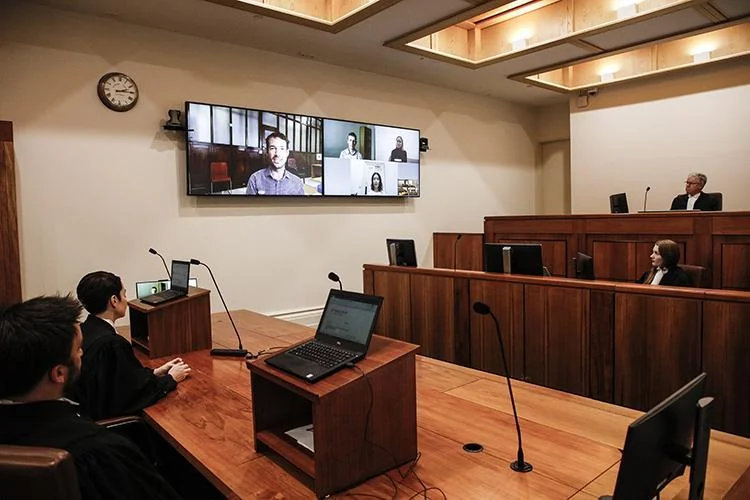
You're probably wondering what equipment you actually need. Let's break it down into practical pieces.
Core Video Components
Start with professional-grade cameras designed for courtroom use. Consumer webcams won't give you the quality or reliability you need. Look for PTZ (pan-tilt-zoom) cameras that operators can control to focus on whoever's speaking.
Your Indiana courtroom AV should include at least two cameras: one for the judge's bench and one for the witness stand. Larger courtrooms might need cameras covering the attorney tables and gallery.
Displays matter just as much as cameras. Judges need clear views of remote participants. Consider multiple screens: one for the judge, one for attorneys, and one for the jury box when applicable.
Audio Systems That Actually Work
Invest in quality microphones for every speaking position. Gooseneck microphones work well for fixed positions like the judge's bench. Wireless lavalier mics give flexibility for attorneys who move around.
Don't forget about speakers. Everyone needs to hear remote participants clearly. Ceiling-mounted speakers often work better than tabletop options because they distribute sound evenly.
Audio processing equipment ties everything together. A digital signal processor (DSP) manages all your microphones and speakers, eliminates echo, and keeps volume levels consistent.
The Software Side
Your secure judicial video systems need software that courts can trust. Look for platforms designed specifically for legal proceedings, not generic meeting tools.
Key features include:
-
Waiting rooms where participants stay until the hearing starts
-
Separate breakout spaces for attorney-client conferences
-
Recording features with automatic timestamps
-
Screen sharing for presenting evidence
-
Real-time transcription options
Many courts use specialized legal video platforms that connect with case management systems. This means less manual work for your staff.
Planning Your Indianapolis Government Video Conferencing Rollout
You can't just buy equipment and hope it works. Successful court technology projects need careful planning.
Start With a Needs Assessment
Walk through your typical court proceedings. Which hearings could benefit most from video options? Status conferences? Bond hearings? Witness testimony?
Talk to your judges about their priorities. Some might want full hybrid capability for every hearing. Others might prefer starting with specific case types.
Survey your attorneys. What features would make their jobs easier? What concerns do they have about video proceedings?
Design for Your Space
Every courtroom is different. A 100-year-old courthouse presents different challenges than a modern judicial center.
Consider:
-
Where cameras should mount without damaging historic features
-
How to run cables in older buildings
-
Whether your internet bandwidth can handle multiple video streams
-
What backup systems you need if the network goes down
Work with specialists who understand legal AV integration Indiana requirements. They know local building codes and court-specific needs.
Budget Realistically
Quality hybrid courtroom technology isn't cheap, but it pays off quickly. Calculate what delays and rescheduled hearings cost your county. Factor in travel time attorneys and witnesses save.
A single courtroom might need $30,000 to $75,000 in equipment, depending on size and features. Installation adds more. Training takes time and money.
But compare that to the cost of inefficiency. When attorneys drive three hours for a 10-minute status conference, everyone wastes resources. When witnesses can't appear because of travel constraints, cases drag on for months.
Many Indiana counties fund upgrades through court technology grants or CARES Act funds. Your state court administration office can point you toward funding sources.
Training Staff and Users
The best equipment in the world doesn't help if nobody knows how to use it. Plan for comprehensive training.
Court Staff Need Hands-On Practice
Your clerks and bailiffs will operate the systems daily. They need to feel comfortable troubleshooting common problems.
Set up training sessions that cover:
-
Starting and ending video sessions
-
Managing participant access
-
Adjusting camera angles and audio levels
-
Starting and stopping recordings
-
Handling technical problems during hearings
Practice with realistic scenarios. Run through a mock hearing where someone's audio cuts out. Practice what to do when a participant can't connect.
Judges Need Confidence
Judges control their courtrooms. They need to trust that your Indiana courtroom AV will work reliably.
Offer one-on-one training sessions. Let judges practice in their own courtrooms with their actual staff. Show them how to handle common situations without disrupting proceedings.
Create simple reference guides judges can keep at the bench. Include quick fixes for typical problems.
Attorneys Need Clear Instructions
Lawyers aren't IT experts. Make it easy for them to participate in video hearings.
Send clear connection instructions before each hearing. Include:
-
The exact link or meeting ID
-
What time to connect (usually 10 minutes early)
-
Technical requirements for their devices
-
Who to contact if they have problems
-
Backup phone numbers if video fails
Consider creating a short video tutorial they can watch. Show what a successful connection looks like and what to do if something goes wrong.
Making Security a Priority
Your secure judicial video systems must protect sensitive information. This isn't optional.
Network Security Basics
Separate your court video traffic from other government network activity. Use VLANs or dedicated circuits for video streams.
Require strong authentication for all participants. Multi-factor authentication adds extra protection for sensitive hearings.
Keep all software updated. Security patches matter. Schedule regular updates during off-hours so they don't disrupt court schedules.
Physical Security Matters Too
Lock down your equipment rooms. Only authorized IT staff should access video servers and network gear.
Secure cameras and microphones so they can't be tampered with. Use tamper-evident seals on equipment cabinets.
Control who can start recordings. Your case management system should track every recording with timestamps and user IDs.
Privacy Protections
Some hearings need extra privacy. Your system should support:
-
Closed sessions where only authorized participants can join
-
Private attorney-client rooms within the video platform
-
Options to hide certain participants from public view
-
Automatic removal of unauthorized viewers
Train staff to recognize privacy requirements for different case types. Juvenile cases, mental health proceedings, and certain family law matters need special handling.
Troubleshooting Common Problems
Even the best systems have occasional hiccups. Prepare for these common issues.
Connectivity Problems
Participants sometimes can't connect. Common causes include:
-
Outdated web browsers
-
Firewall settings blocking video traffic
-
Insufficient internet bandwidth
-
Wrong meeting links or IDs
Keep a troubleshooting checklist handy. Start with simple fixes: refresh the browser, check the meeting link, restart the device.
Have backup phone numbers ready. If video completely fails, you can patch in audio-only participants.
Audio Issues
Echo and feedback drive everyone crazy. Usually these happen when someone has both a computer and phone connected, or when speakers are too close to microphones.
Quick fixes:
-
Ask participants to use headphones
-
Mute participants when they're not speaking
-
Adjust microphone sensitivity in your DSP
-
Check for speaker placement problems
Video Quality Problems
Blurry or frozen video usually means bandwidth problems. Either the sender or receiver doesn't have enough internet speed.
Solutions:
-
Lower the video resolution temporarily
-
Ask participants to turn off other applications using bandwidth
-
Use audio-only for participants with poor connections
-
Schedule bandwidth-heavy hearings during off-peak times
Measuring Success
How do you know if your legal AV integration Indiana project is working? Track these metrics.
Time Savings
Measure how much time you save on routine hearings. Compare pre-video and post-video durations for similar case types.
Calculate travel time saved for attorneys, witnesses, and defendants. Multiply by their hourly rates to show cost savings.
Case Processing Speed
Track how video availability affects case timelines. Can you schedule status conferences faster? Do cases resolve more quickly?
Many courts find that hybrid courtroom technology speeds up case processing by 20% to 30% for certain case types.
User Satisfaction
Survey judges, attorneys, and staff regularly. What's working? What needs improvement?
Pay attention to technical support requests. If you're getting the same complaints repeatedly, that indicates a problem needing attention.
System Reliability
Track uptime and technical failures. Your goal should be 99% or better reliability for scheduled hearings.
Document every technical problem: what happened, what caused it, how you fixed it. Use this data to prevent future issues.
Staying Current With Technology
Court technology keeps evolving. Your Indianapolis government video conferencing setup needs regular updates.
Plan for Upgrades
Technology lifecycles run about five to seven years for most equipment. Budget for replacements before equipment fails.
Software updates come more frequently. Stay current with security patches and feature updates.
Learn From Other Courts
Join professional organizations like the National Association for Court Management or the Conference of State Court Administrators. They share best practices and lessons learned.
Visit other Indiana courts that have implemented video systems. See what works in real-world settings.
Attend technology conferences focused on legal applications. You'll learn about new tools and techniques.
Build Relationships With Vendors
Work with suppliers who understand court needs. Good vendors offer training, technical support, and upgrade paths.
Ask about their experience with other Indiana courts. Request references from similar-sized jurisdictions.
Make sure they can provide local support. When something breaks during a hearing, you need help fast.
Getting Started With Your Project
Ready to move forward? Here's your action plan.
Gather Your Team
Pull together everyone who needs input:
-
Chief judge or presiding judge
-
Court administrator
-
IT director
-
Key staff who will use the system
-
Budget officer
-
Facilities manager
Schedule a kickoff meeting to discuss goals, concerns, and timeline.
Document Your Requirements
Write down exactly what you need. Be specific:
-
How many courtrooms need equipment
-
What types of hearings will use video
-
Who will participate remotely
-
What security standards you must meet
-
What your budget allows
Share this document with potential vendors so they understand your needs.
Request Proposals
Reach out to companies specializing in Indiana courtroom AV. Ask for detailed proposals that address your requirements.
Compare proposals carefully. Look beyond price to consider:
-
Equipment quality and reliability
-
Installation timeline
-
Training offerings
-
Ongoing support
-
Warranty terms
-
Upgrade paths
Pilot Before Full Rollout
Start with one courtroom. Test your chosen system thoroughly before expanding.
Run different types of hearings. Try various scenarios. Find and fix problems while the stakes are low.
Gather feedback from everyone involved. Adjust your approach based on what you learn.
Roll Out Gradually
Once your pilot succeeds, expand methodically. Add one or two courtrooms at a time.
This approach lets you:
-
Train staff in manageable groups
-
Refine your procedures
-
Manage your budget across multiple fiscal years
-
Build confidence gradually
Your Next Steps
Modern Indiana courtroom AV changes how justice works in your county. Secure judicial video systems give you flexibility that old setups never could. Hybrid courtroom technology means better access to courts for everyone involved.
You've seen what works and what to watch out for. You know the key components and common pitfalls. Now it's time to take action.
Start by assessing your current situation. Which courtrooms need upgrades most urgently? What budget can you allocate? Who needs to approve your project?
Reach out to specialists who focus on legal AV integration Indiana. Get their input on your specific courtrooms and requirements. Ask about Indianapolis government video conferencing solutions they've installed in similar courts.
Don't wait for your old systems to fail completely. Courts across Indiana are already moving forward with video capabilities. Your community deserves the same access and convenience.
Take the first step today. Your judges, attorneys, and citizens will thank you for making their court experiences better.
Frequently Asked Questions
What makes courtroom video conferencing different from regular business video calls?
Courtroom video systems must meet strict legal and security requirements that business tools don't address. They need encryption for confidential proceedings, audit trails for every session, and specialized features like attorney-client breakout rooms and controlled recording access. Audio quality must support accurate court reporting, and video must capture body language for judges and juries. Business platforms lack these legal-specific safeguards.
How much does it cost to equip an Indiana courtroom with hybrid video technology?
A typical courtroom installation ranges from $30,000 to $75,000, depending on room size and features needed. This includes professional cameras, microphones, displays, audio processing equipment, and installation. Larger courtrooms or those requiring multiple camera angles cost more. Factor in training, software subscriptions, and ongoing support when budgeting. Many Indiana counties use court technology grants or federal funding to cover these costs.
Can attorneys and witnesses join courtroom video sessions from home?
Yes, most secure judicial video systems allow remote participation from any location with reliable internet. Attorneys typically join from their offices or homes using computers or tablets. Witnesses can appear remotely when travel is difficult or impossible. The court controls access through password-protected links and waiting rooms. Some sensitive proceedings may require participants to join from secure locations rather than public spaces for privacy reasons.
What happens if the video system fails during a hearing?
Quality systems include backup options to keep proceedings moving. Most setups can switch to audio-only participation if video fails, allowing hearings to continue. Courts should have backup internet connections and phone conference lines ready. Well-trained staff can troubleshoot common problems quickly. For critical hearings, courts may choose to reschedule if full video capability is essential, but simple technical issues rarely require delays.
How long does it take to train court staff to operate video systems?
Basic operation training typically takes one to two days of hands-on practice for court staff who will run the systems daily. Judges usually need shorter sessions, often just a few hours of individual coaching in their own courtrooms. Attorneys receive simple connection instructions rather than full training since they're joining as participants. Most staff become comfortable within the first week of regular use, and ongoing support helps them handle unusual situations as they arise.