
Digital Evidence and Remote Witnesses: The Tech Behind the Modern Courtroom
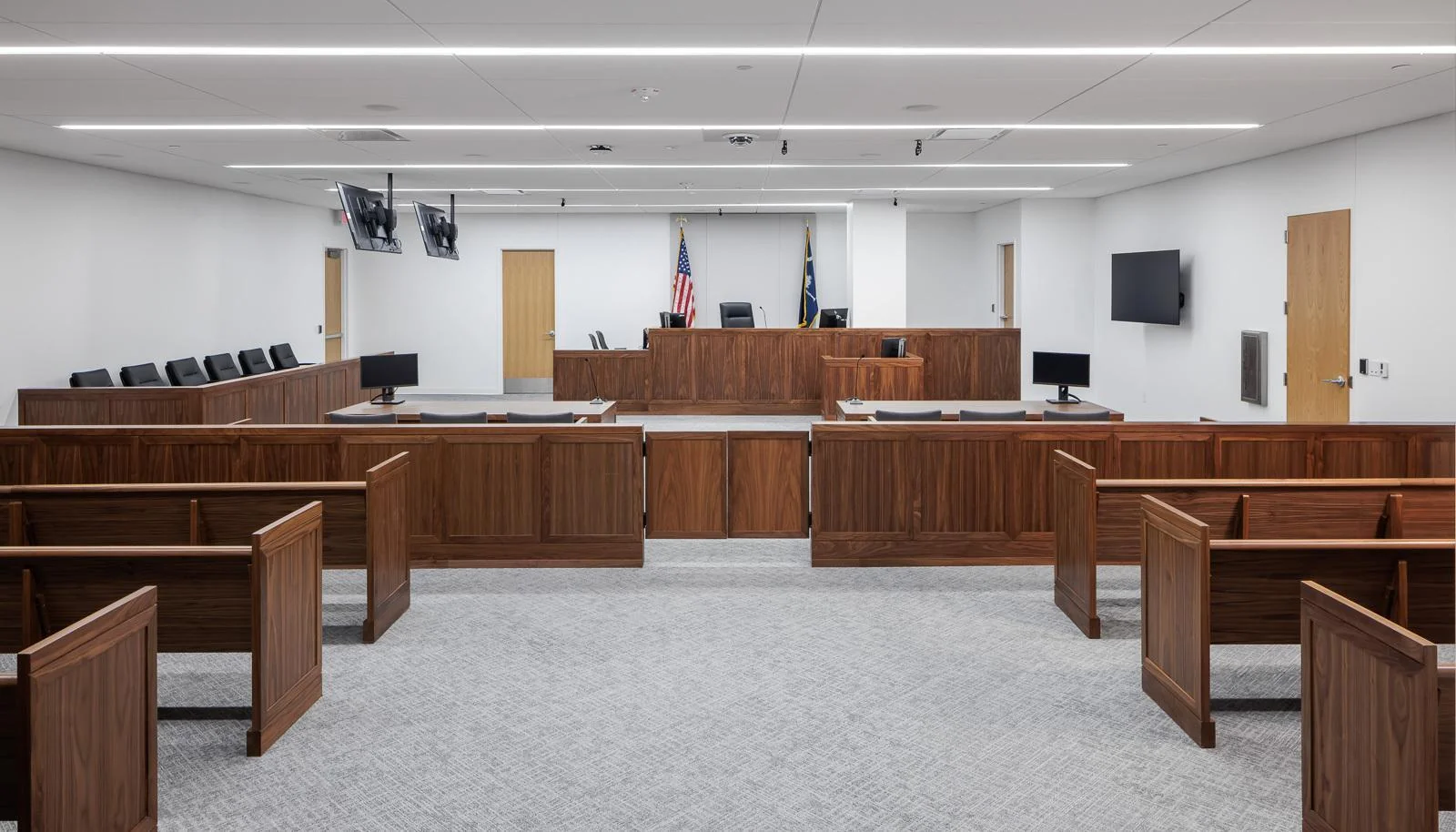
Forget the days when courtrooms relied solely on paper files and in-person testimony. Today, your courtroom faces the challenge of managing hybrid legal proceedings that demand airtight security and clear digital evidence presentation. Video courtroom AV and remote witness technology are no longer optional - they're essential tools shaping how justice moves forward without missing a beat. Let's explore what your courtroom needs to stay ahead in this tech-driven era.
Why Your Courtroom Can't Ignore Digital Transformation
The legal world has changed faster in the past three years than it did in the previous thirty. You've probably noticed it yourself. Cases that once required everyone to show up in person now run smoothly with witnesses appearing from across the country. Digital files replace bankers' boxes. And justice system tech has become the backbone of daily operations.
This shift isn't temporary. Courts handling everything from traffic violations to complex criminal trials now depend on technology to keep proceedings moving. The question isn't whether to adopt these tools but how to do it right.
The Real Challenges You're Facing Right Now
Let's be honest about what keeps you up at night. You need technology that works when it matters most. A frozen screen during critical testimony isn't just embarrassing. It can derail an entire case. Security breaches could compromise sensitive information. And if your staff can't operate the systems easily, you're stuck with expensive equipment gathering dust.
Your court needs solutions that solve real problems without creating new ones.
Understanding Video Courtroom AV Systems
Video courtroom AV forms the foundation of modern legal proceedings. Think of it as the nervous system of your courtroom. Everything connects through it: cameras, microphones, displays, and recording equipment.
What Makes a Great Video Courtroom AV Setup
The best systems do three things well. First, they capture clear audio and video of everyone in the room. Jurors need to see witness expressions. Attorneys need to hear every word. The court record must be complete and accurate.
Second, they're simple to use. Your staff shouldn't need an engineering degree to start a session. One-touch controls and intuitive interfaces keep things running smoothly.
Third, they integrate with your existing workflows. Your case management software, evidence databases, and recording systems should all work together without constant technical headaches.
Key Components You Need
A proper video courtroom AV system includes several critical pieces. High-definition cameras track speakers automatically, keeping them in frame without manual operation. Ceiling-mounted microphones pick up clear audio from every corner of the room. Large displays let everyone see exhibits and remote participants clearly.
The control system ties everything together. Modern touchscreen interfaces let you switch between camera views, share documents, and manage remote connections with a few taps.
Digital Evidence Presentation That Actually Works
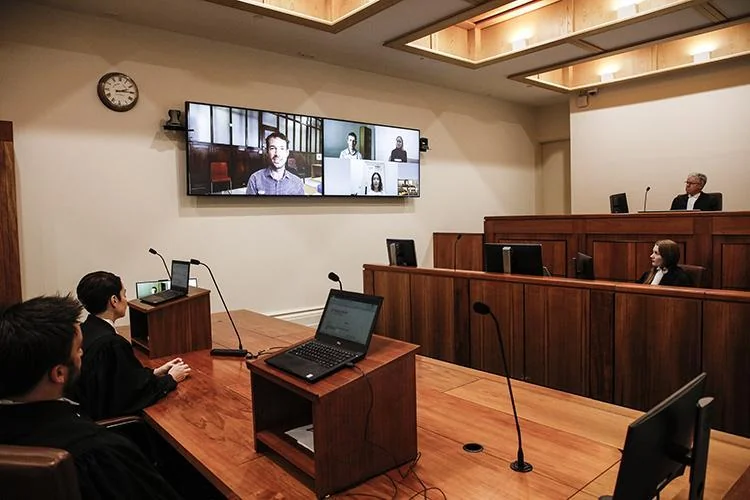
Paper exhibits are becoming relics. Digital evidence presentation has taken over, and for good reason. You can zoom in on documents, highlight key sections, and display multiple exhibits side by side. Everything happens in real time without passing papers around the courtroom.
Making Evidence Clear for Everyone
The goal is simple: everyone in the courtroom should see the same thing at the same time. When an attorney references a contract clause, it appears on screens where the judge, jury, and gallery can read it clearly. When a detective explains a crime scene photo, everyone sees the details that matter.
This clarity speeds up proceedings. Attorneys spend less time describing what people should look at and more time making their arguments. Jurors stay engaged because they can actually see what's being discussed.
Security Considerations for Digital Evidence
Here's where things get serious. Digital evidence must maintain its integrity from collection through presentation. Chain of custody tracking becomes even more important in the digital world. Your systems need to prevent tampering and provide audit trails showing who accessed what and when.
Encryption protects sensitive materials. Access controls ensure only authorized personnel can view certain exhibits. And backup systems guarantee that evidence remains available even if primary systems fail.
Remote Witness Technology: Bringing Testimony to You
Remote witness technology has changed who can testify and when. Expert witnesses don't need to fly across the country. Victims can testify from safe locations. Incarcerated defendants can attend hearings without transport logistics.
Setting Up Reliable Remote Connections
Quality matters enormously here. A pixelated video feed or choppy audio undermines witness credibility and frustrates everyone involved. Your remote witness technology needs professional-grade video and audio quality that matches in-person testimony.
Bandwidth requirements are real. Plan for at least 5 Mbps upload and download speeds per connection. Test connections before hearings start. Have backup internet connections ready in case primary links fail.
Managing the Remote Testimony Experience
Remote witnesses need clear instructions before they appear. Send them technical requirements and connection details well in advance. Schedule tech checks to verify their setup works properly.
During testimony, make sure remote witnesses can see and hear what's happening in the courtroom. They should know who's speaking and when to respond. Split-screen displays help by showing both the courtroom and the remote witness simultaneously.
Building Secure Virtual Courtrooms
Secure virtual courtrooms extend your reach beyond physical walls while maintaining the formality and security justice demands. These aren't just video calls. They're complete hearing environments with all the controls and protections of traditional courtrooms.
Essential Security Features
Security starts with access control. Only authorized participants should join proceedings. Use unique meeting IDs and passwords for each session. Implement waiting rooms where staff can verify identities before admitting people.
End-to-end encryption protects conversations from interception. Secure cloud recording creates official records while preventing unauthorized copying. And administrative controls let you manage who can share screens, chat, or record sessions.
Maintaining Courtroom Decorum Virtually
Virtual doesn't mean casual. Your platform should support the same formality as physical courtrooms. Judges need controls to mute participants, remove disruptive attendees, and manage the flow of proceedings.
Visual cues help maintain order. Name tags identify participants clearly. Raised hand features let attorneys signal they want to speak. And recording indicators remind everyone that proceedings are official and documented.
Making Hybrid Legal Proceedings Work Smoothly
Hybrid legal proceedings mix in-person and remote participants in the same hearing. Some people appear physically while others join virtually. Getting this right requires careful planning and the right technology.
The Technical Setup for Hybrid Success
Your courtroom needs to work as a broadcast studio and traditional courtroom simultaneously. Cameras must capture in-room participants for remote viewers. Speakers must amplify remote voices so everyone in the courtroom hears them clearly. And displays must show remote participants at appropriate sizes.
Audio mixing becomes critical. Remote participants shouldn't hear their own voices echoing back. In-room participants need balanced sound from both physical and virtual speakers. Acoustic treatment and proper microphone placement solve most issues.
Workflow Considerations
Hybrid proceedings require clear protocols. Establish who speaks when and how to signal turns. Decide how to handle exhibits that exist in different formats. Create backup plans for technical failures.
Train your staff on these protocols. Court clerks, bailiffs, and IT support need to understand their roles in hybrid proceedings. Practice sessions help everyone get comfortable before high-stakes cases go live.
Choosing the Right Justice System Tech Partners
You don't have to figure this out alone. The right technology partners bring expertise, support, and proven solutions to your modernization efforts.
What to Look for in Vendors
Look for companies that specialize in legal environments. Generic video conferencing tools don't meet courtroom needs. You need partners who understand chain of custody, evidentiary standards, and courtroom workflows.
Check their track record. Ask for references from courts similar to yours. Visit installations to see systems in action. Verify that they provide training and ongoing support, not just equipment delivery.
Integration and Support Requirements
Your new systems must work with existing infrastructure. Document management systems, case files, and recording equipment should connect smoothly. Ask vendors to demonstrate integrations before you commit.
Support matters as much as equipment. When systems fail during a hearing, you need immediate help. Look for partners offering rapid response times, remote diagnostics, and on-site support when necessary.
Training Your Team for Success

The best technology fails without proper training. Your judges, clerks, attorneys, and IT staff all need to understand how systems work and when to use them.
Building Confidence Through Practice
Start with hands-on training sessions. Let people touch the equipment, make mistakes, and learn in low-pressure environments. Create simple reference guides for common tasks. Record training sessions so staff can review procedures later.
Run mock proceedings before going live. Simulate technical problems and practice recovery procedures. Build confidence by showing your team they can handle whatever comes up.
Ongoing Education and Updates
Technology changes constantly. Schedule regular refresher training to introduce new features and reinforce best practices. Create a feedback loop where users can report problems and suggest improvements.
Designate technology champions within your court. These power users can help colleagues with basic issues and serve as liaisons to IT support.
Measuring Success and ROI
How do you know if your technology investments are paying off? Track metrics that matter to your court's operations.
Key Performance Indicators
Monitor case processing times. Are hybrid proceedings moving cases through the system faster? Track the number of continuances caused by witness availability. Remote testimony should reduce these delays.
Measure cost savings from reduced travel and facility use. Calculate staff time saved through digital evidence presentation versus traditional methods. Document security incidents and system uptime.
Gathering User Feedback
Numbers tell part of the story. Talk to judges, attorneys, and court staff about their experiences. What works well? What frustrates them? Where do they see room for improvement?
Survey remote participants about their experience. Were instructions clear? Did technology work smoothly? Would they feel comfortable testifying remotely again?
Planning Your Technology Roadmap
Rome wasn't built in a day, and neither is a modern courtroom. Create a phased approach that delivers value quickly while building toward your long-term vision.
Starting with Quick Wins
Begin with improvements that solve immediate pain points and demonstrate value. Maybe that's upgrading one courtroom with better video courtroom AV. Or implementing digital evidence presentation in high-volume dockets where the time savings add up quickly.
These early successes build momentum and support for larger initiatives. They also provide learning opportunities before you scale solutions court-wide.
Long-Term Vision and Scalability
Think about where your court needs to be in three to five years. How many courtrooms need full technology suites? What types of cases will run virtually versus in person? How will caseloads and staffing change?
Choose solutions that scale with your needs. Systems should accommodate additional courtrooms without complete overhauls. Cloud-based platforms can grow as your requirements expand.
Common Pitfalls to Avoid
Learn from courts that have gone before you. Several common mistakes can derail even well-intentioned modernization efforts.
Underestimating Network Requirements
Your network infrastructure must support high-quality video and large file transfers. Bandwidth, latency, and reliability all matter. Assess your current network capacity before deploying new systems. Upgrade if necessary.
Don't forget about redundancy. Critical systems need backup internet connections and power supplies. A single point of failure can shut down proceedings.
Ignoring User Experience
Technology that frustrates users won't get used properly. Involve judges and staff in selection processes. Let them test systems before purchase. Their input prevents expensive mistakes.
Accessibility matters too. Ensure systems work for participants with hearing, vision, or mobility challenges. Closed captioning, screen readers, and adjustable interfaces aren't optional extras.
Skimping on Security
Security breaches in legal proceedings can be catastrophic. Compromised evidence, leaked sensitive information, or unauthorized access to proceedings create legal nightmares and erode public trust.
Invest in proper security from the start. Regular audits, penetration testing, and security updates should be part of your ongoing operations. Don't wait for a breach to take security seriously.
The Path Forward
Your courtroom stands at an important crossroads. The tools and technologies available today can make justice more accessible, efficient, and fair. But only if you implement them thoughtfully with proper planning, training, and support.
Start by assessing where you are now. What works well? What causes daily frustrations? Where do backlogs accumulate? These pain points guide your technology priorities.
Connect with other courts that have modernized successfully. Learn from their experiences. Adapt their solutions to your unique needs and constraints.
And remember that technology serves justice, not the other way around. Every system, feature, and upgrade should make it easier to conduct fair, transparent proceedings that serve your community.
The future of courtrooms is already here in many jurisdictions. Courts using video courtroom AV, digital evidence presentation, and remote witness technology are handling more cases with fewer delays. They're making justice more accessible to people who couldn't easily attend in person. And they're building public confidence through transparent, well-documented proceedings.
Your court can achieve the same results. With the right partners, proper planning, and commitment to training, you'll create secure virtual courtrooms that serve your community for years to come. The technology exists. The best practices are proven. Now it's time to take the next step in modernizing how your courtroom delivers justice.
Take action today. Assess your current capabilities. Identify your biggest challenges. Reach out to technology partners who specialize in justice system tech. Your path to modern, hybrid legal proceedings starts with that first conversation.
The courts that thrive in the coming years will be those that adopted these tools early and learned to use them well. Make sure your courtroom is among them.
Frequently Asked Questions
What is the main difference between traditional and secure virtual courtrooms?
Secure virtual courtrooms use professional-grade video courtroom AV systems, encrypted connections, and strict access controls to conduct legal proceedings remotely or in hybrid format. Unlike traditional courtrooms limited to physical attendance, virtual courtrooms allow remote witness technology and digital evidence presentation while maintaining the same security, formality, and legal standards as in-person hearings.
How do courts ensure digital evidence isn't tampered with during presentation?
Courts protect digital evidence through encrypted storage, chain of custody tracking, access logs, and hash verification that detects any changes to files. Systems create audit trails showing who accessed evidence and when, while preventing unauthorized editing. Evidence is typically stored in secure, write-once formats that preserve integrity from collection through presentation.
Can remote witnesses provide testimony with the same legal weight as in-person testimony?
Yes, remote witness technology allows testimony that carries the same legal weight when proper procedures are followed. Witnesses are sworn in, cross-examination occurs normally, and courts can verify identity and ensure no coaching. Many jurisdictions have updated rules to explicitly authorize remote testimony, particularly for expert witnesses, victims in sensitive cases, and participants facing travel hardships.
What are the biggest challenges courts face when implementing hybrid legal proceedings?
The main challenges include ensuring reliable internet connectivity, training staff and attorneys on new systems, maintaining courtroom decorum with mixed audiences, managing audio quality so everyone hears clearly, and creating consistent protocols for when to use hybrid versus fully in-person proceedings. Technical failures during critical moments and resistance to change from traditional practitioners also present obstacles.
How much does it typically cost to upgrade a courtroom with modern video and digital evidence systems?
Costs vary widely based on courtroom size, existing infrastructure, and feature requirements, ranging from $30,000 for basic setups to over $200,000 for fully equipped courtrooms with advanced automation. Factors include camera quality, audio systems, display screens, control interfaces, recording equipment, and network upgrades. Many courts phase installations across multiple budget cycles, starting with high-volume courtrooms to demonstrate return on investment before expanding court-wide.